


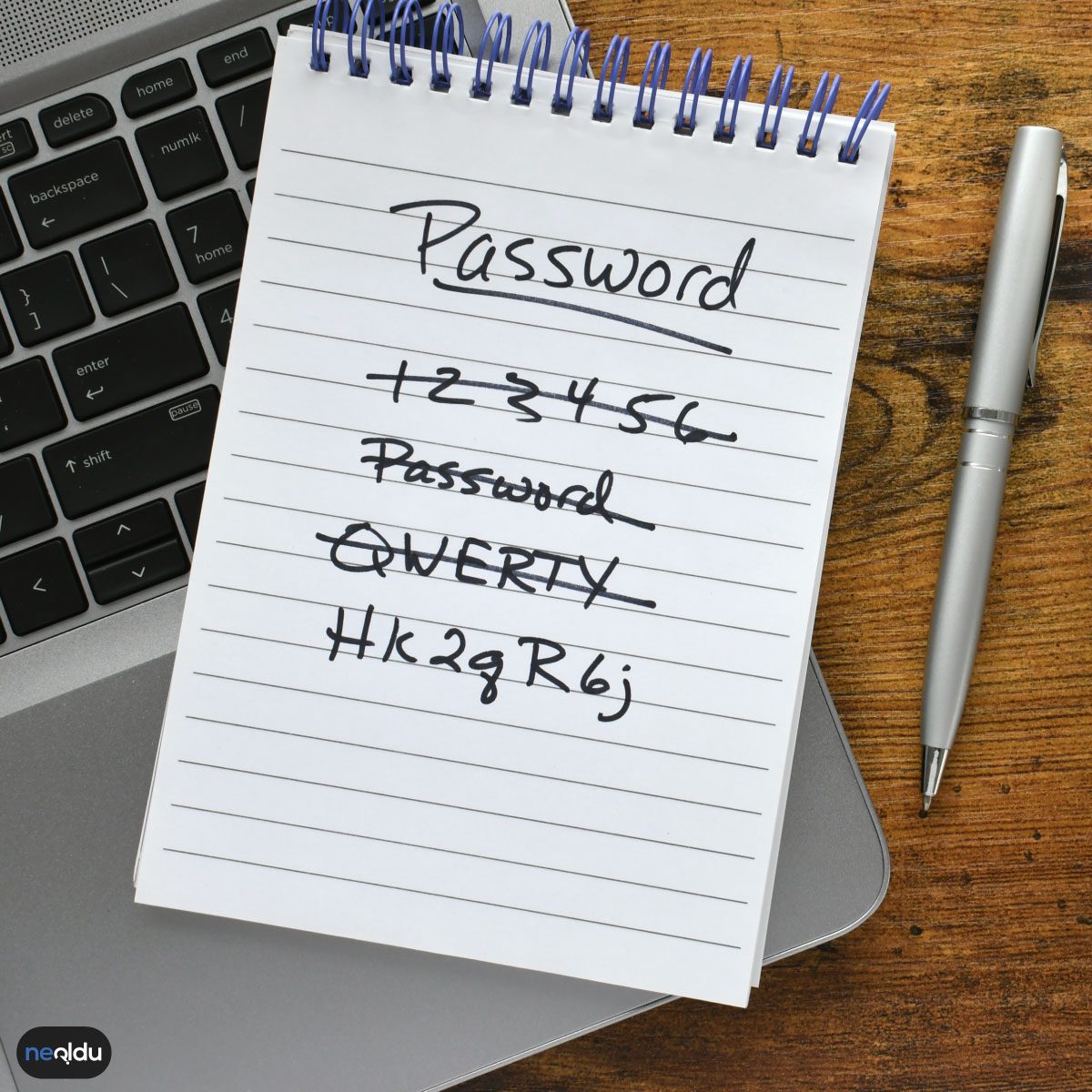
Passwords have shifted from mere gatekeepers to the central nervous system of our digital existence. We juggle logins for everything from banking apps to streaming services. This fragmentation creates a headache for memory and a goldmine for attackers. The stakes are high. A compromised credential doesn’t just mean a hacked social media account; it can expose your financial data, private photos, and professional reputation.
Creating a password that actually withstands modern brute-force attacks requires moving beyond simple rules like “add a number” or “use a special character.” These are baseline hygiene, not security. Real protection comes from entropy and unpredictability.
Зміст
The Mechanics of a Secure Password
A strong password is long, complex, and unique. Length matters more than complexity. A 12-character password made of random lowercase letters is generally harder to crack than an 8-character password with symbols and numbers. Why? Because the computational power required to guess a longer string grows exponentially.
Consider this: a short, complex password like Tr0ub4dor&3 might look secure to a human, but it follows predictable patterns that hackers’ dictionaries target aggressively. Instead, think in terms of passphrases. Strings like correct-horse-battery-staple are easier for humans to remember but significantly harder for machines to guess due to their length and lack of common dictionary combinations.
Avoiding Common Pitfalls
Many users fall into traps that undermine security without realizing it.
- Reusing credentials: If you use the same password for email and a minor forum, and that forum leaks data, your email is now at risk.
- Personal information: Birthdays, pet names, and street addresses are public or easily inferred. They are terrible password components.
- Sequential characters: Patterns like
123456orqwertyare the first guesses in any automated attack.
Tools That Simplify Complexity
Memorizing dozens of unique, high-entropy passwords is impractical for most people. This is where password managers come into play. These tools generate and store random passwords for every site you use. You only need to remember one master password.
Using a password manager effectively means:
- Generating unique passwords for every account.
- Storing them securely in an encrypted vault.
- Enabling two-factor authentication (2FA) wherever possible.
Two-factor authentication adds a second layer of defense. Even if a hacker steals your password, they cannot access your account without the second factor, which is typically a code from an authenticator app or a hardware key. SMS-based 2FA is better than nothing but is vulnerable to SIM-swapping attacks. Authenticator apps or physical security keys are far more robust.
The Human Factor in Cybersecurity
Technology alone isn’t enough. User behavior plays a massive role. Phishing attacks often bypass technical defenses by tricking users into voluntarily handing over credentials. A secure password is useless if you type it into a fake login page.
Awareness is key. Verify URLs before entering sensitive information. Look for valid SSL certificates. Be skeptical of urgency or threats in unsolicited messages.
The landscape of online threats evolves daily. What works today may be obsolete tomorrow. Staying informed about best practices is not optional; it is a continuous
Stop Using Dictionary Words
Complexity matters. It’s not just about looking smart; it’s about throwing a wrench in brute-force algorithms. When you mix uppercase and lowercase letters, digits, and symbols, you exponentially increase the search space for hackers. Take “B1r#D3nG” — it’s not poetic, but it’s effective. It forces an attacker to check billions of combinations instead of scanning a simple dictionary list.
Length Beats Complexity (Usually)
A short password with special characters is still vulnerable. Length is the real shield. Security experts agree: make it at least 8 characters long. Longer is better. Each additional character adds a layer of difficulty to cracking attempts. Don’t settle for the bare minimum. Aim for a passphrase length that feels cumbersome to type but easy to remember — or use a password manager to handle the length for you.
Never Reuse Credentials
Using the same password across multiple platforms is a fatal error. If one site suffers a data breach, every other account you’ve logged into with that password is compromised. This is called credential stuffing, and it’s rampant. Give each platform a unique password. It sounds like a nightmare to manage, which is exactly why you shouldn’t do it manually. Use a password manager to generate and store distinct, complex credentials for every service.
Rotate Your Passwords Regularly
Static passwords are sitting ducks. Changing your password regularly limits the window of opportunity for an attacker who might have your old credentials. A monthly rotation is a solid baseline. It minimizes the damage if a leak occurs weeks or months prior. If you suspect any unusual activity, don’t wait for the calendar. Change it immediately.
“A password is only as strong as its uniqueness and length.”
Why stick to manual memory when technology can do the heavy lifting? The effort you put into creating unique, lengthy, and complex passwords directly correlates to your digital safety. It’s a small habit with massive protective power.
How Strong Are Your Current Credentials?
It’s time to audit your digital life. Check which accounts share passwords. Identify the weak links. Start with your email and banking — those are the crown jewels. Secure them first. The rest can follow.
The Human Element
Technology helps, but it doesn’t replace judgment. You still need to be aware of phishing attempts. A complex password won’t save you if you type it into a fake login page. Stay skeptical. Verify URLs. Double-check emails. Security is a habit, not a one-time setup.
What’s Next?
There’s more to secure than just passwords. Two-factor authentication. Device security. Data privacy settings. Each layer adds protection. Don’t stop at strong passwords. Build a fortress.
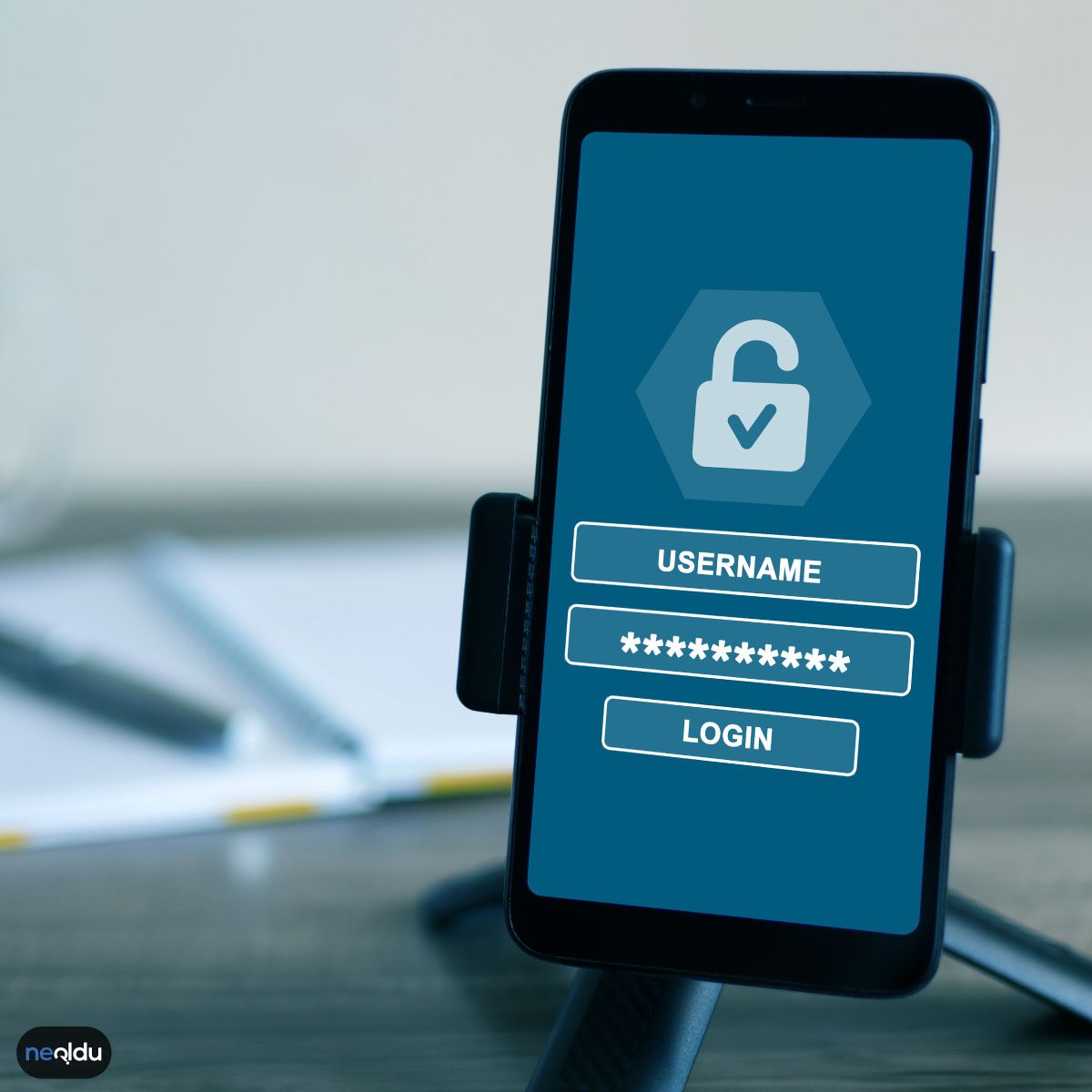

Stop Writing Passwords in Notebooks
Let’s be honest: juggling unique passwords for every single service is a nightmare. It’s the fastest way to end up locking yourself out of your own life. The logical fix? Use a password manager. It acts as a digital vault, generating and storing complex keys so you only need to remember one master passphrase. But here’s the catch: that vault needs to be secure. If your device isn’t protected, the manager is just a convenient target for attackers.
The Danger of Copy-Paste
We’ve all done it. You see the password field, hit Ctrl+C, and paste. It feels efficient. It’s also a security liability. Clipboard history is often logged by malware or keyloggers. If your computer is infected, that copied string is sitting in plain sight, waiting to be stolen. Don’t make it easy for them.
Why Personal Details Are Terrible Passwords
Your dog’s name? Your birthdate? The name of your first crush? Delete them from your mental list immediately. These are the first things hackers guess. They’re public on social media or easily found in a data breach. Relying on personal information in your credentials doesn’t just make guessing easy; it makes cracking automated and instantaneous.
Avoid Repetitive Patterns
There is a seductive comfort in repetition. 123456 or aaaaaa might be easy for you to type, but it’s essentially an open door. Hackers use dictionary attacks that prioritize common patterns and repetitive characters. If your password relies on predictable sequences, you’re not securing your account; you’re just delaying the inevitable.
Never Share Credentials
This sounds obvious, but it’s where most breaches start. Sharing a password via email, Slack, or SMS creates a digital trail. Those messages are stored on servers you don’t control. They can be hacked, intercepted, or accidentally forwarded. If you can’t tell someone the password in person without sweating, don’t type it out anywhere.
Stop Using Dictionary Words in Your Passwords
The oldest trick in the book is still the most effective for attackers. Don’t use meaningful words or common phrases. Human language is predictable. Machine learning algorithms are not.
Take “doğumgünü123” for example. It looks secure because of the number. It isn’t. Brute-force tools and dictionary attacks strip the number off in milliseconds. They know you’ll capitalize the first letter. They know you’ll add a year. They know you’ll replace ‘e’ with ‘3’.
Randomness is your only shield. A password should look like noise. It should look like a typo. If you can say it, it can be cracked.
Stick to Secure Sites for Critical Accounts
Security starts before you even type your password. It starts with the connection.
Never enter credentials on an HTTP site. Always look for the padlock. Look for HTTPS. This isn’t just about aesthetics. It’s about encryption. Without it, your data travels in plain text across public Wi-Fi hotspots. Anyone on that network can see what you’re sending.
This matters most for banking. And email. And primary social accounts. If your bank site isn’t secure, your money is. If your email isn’t, your digital identity is.
Don’t cut corners here. If the URL looks strange, close the tab. There are no exceptions.
Enable Two-Factor Authentication (2FA)
Passwords are no longer enough. They never were. But they were the last line of defense. Now, they’re just the first.
Two-factor authentication adds a second layer. Something you know (the password) plus something you have (your phone). Or something you are (a fingerprint).
When you log in, you enter your password. Then, you get a code via SMS or an authenticator app. You enter that code. Only then do you get in.
This breaks the cycle of credential stuffing. Even if someone steals your password from a data breach, they can’t access your account without that second key. It’s friction. But it’s necessary friction.
Turn it on everywhere. Start with email. Then banking. Then anything that holds personal data. It takes thirty seconds. It saves years of headaches.
Why Strong Passwords Matter
It’s not about paranoia. It’s about probability.
Attackers don’t target you personally. They target vulnerabilities. Your password is a lock. If the lock is weak, the door opens.
Strong passwords protect your identity. They protect your finances. They protect your privacy. They prevent unauthorized access to your private messages.
In a world where data breaches are daily news, your password is the only thing standing between you and chaos. Treat it like a key to your house. Don’t leave it under the mat. Don’t write it on a sticky note. Make it hard to guess. Make it hard to break.
And remember, no password is unbreakable. But a strong one makes it expensive for attackers. It makes it not worth their time.
“Security is a process, not a product.”
That quote isn’t just marketing fluff. It’s a reminder. You have to keep upgrading. New threats emerge. Old methods fail. Stay alert. Stay curious. Don’t assume you’re safe just because nothing happened yesterday.
We treat passwords like they are the keys to our digital lives, yet we often hand those keys over with a simple turn of the lock. Using “123456” or “password” isn’t just lazy; it is negligent. It is the equivalent of leaving your front door wide open because you couldn’t be bothered to buy a deadbolt. For attackers, these common combinations are not barriers. They are welcome mats.
The stakes are higher now. We aren’t just protecting a diary entry. We are protecting bank accounts, private messages, and years of personal data. Here is why building a robust strong password strategy is no longer optional, it is survival.
Account Security
A weak password is an invitation. A complex one is a wall.
When you mix uppercase letters, numbers, and symbols into a longer string, you are exponentially increasing the difficulty of a brute-force attack. Attackers use automated scripts to guess combinations. A short, simple password gets cracked in seconds. A complex, lengthy one might take years. That time gap is your only shield. It forces the attacker to move on to easier targets, sparing your account the assault.
Data Protection
It is not just about the login screen. It is about what sits behind it.
If an attacker breaches your account, they do not see “access granted.” They see your private life. They can read emails they have no right to see. They can access financial records. They can steal identity documents. A strong password acts as the first line of defense for this sensitive information. It keeps the gate closed, ensuring that your personal details remain yours and not a commodity for sale on the dark web.
Cross-Account Security
This is the most common trap. We reuse passwords. It is convenient. It is also dangerous.
If you use the same password for your email and your online banking, compromising one compromises both. This is called credential stuffing. Attackers take a leaked password from a minor site and try it on major platforms. If you have unique passwords for every account, a breach at one site remains isolated. It does not ripple outward. It does not take down your entire digital life. Unique credentials create firewalls between your accounts.
Protection Against Advanced Technology
Gone are the days when a human sat in a basement typing guesses.
Modern attacks use sophisticated software and massive computing power. They use dictionaries, common phrases, and even social media data to craft personalized guesses. They exploit patterns. A strong password defeats these advanced techniques by being unpredictable. It avoids common words, names, or dates. It rejects the patterns that AI and high-performance clusters rely on. It is the only way to stay ahead of the machines.
Examples of Secure Passwords
So, what does this look like in practice? It is not a random string of characters that you cannot remember. That leads to writing them down on sticky notes, which is even worse. It is a phrase, a concept, or a constructed string that is hard for a machine to guess but easy for you to recall.
Consider these structures:
- Passphrase method: Combine three unrelated words with a separator and a number. Like
Purple-Tiger-Runs-Fast-99. It is long. It is memorable. It is hard to crack due to length.
You know why weak passwords are dangerous. Now let’s talk about how to actually fix it.
Most people think “strong” means “random garbage.” It doesn’t. It means a string that resists brute-force attacks while staying in your head. The examples below show how to balance complexity with usability.
Real examples of effective password structures
These aren’t generated by a dice-roller. They follow specific logic.
- “Tr!9z#L1p” – A mix of uppercase, lowercase, numbers, and symbols. No dictionary words. Hard to guess.
- “B1c!mD3Y4n1ş” – Takes a Turkish phrase and converts it. Numbers replace letters (1 for i, 3 for e). Adds symbols for extra weight.
- “J@zzm0z1k!” – Based on a familiar concept (“Jazzmusic”) but distorted. Symbols replace vowels. Recognizable to you, noise to a bot.
- “R3ngarY1f2rlama$” – Uses the first letters of a longer phrase mixed with numbers and a special character at the end. Increases unpredictability.
- “S@f3+5tr0n6P@$$” – A longer passphrase. Uses leet-speak (4 for a, 3 for e, 0 for o). The length is the real defense here.
- “M@viS4f1r!” – “Blue life” in Turkish, modified. Combines a meaningful word with structural changes.
- “4vC1yfD#g!” – A random-looking string that is actually a pattern-based substitution. Easy to recall if you know the base phrase.
- “S3vd1ğ1m-F1lm-1z1l!” – Uses hyphens to break up text. “My favorite movie” adapted. Hyphens add complexity without memory load.
How to build a strong password you can actually recall
The key isn’t randomness. It’s a formula.
- Start with a phrase. Pick something memorable. A lyric. A quote. A sentence about your day.
- Take the first letters. “I love to eat pizza on Fridays” becomes “IltEpoF”.
- Swap characters. Replace vowels with numbers or symbols.
a->@,e->3,i->1. - Add a delimiter. Use a hyphen or underscore to separate ideas.
- Capitalize strategically. Don’t just capitalize the first letter. Pick a random word to capitalize.
- Append a symbol/number. Add a non-alphanumeric character at the end or middle.
This method creates high entropy without requiring you to memorize xK#9vL$2.
Why this matters for your account security
Attackers use dictionary attacks. They try common words, then common variations. If your password is a real word, you’re vulnerable. If it’s a phrase with simple substitutions, it’s safer.
The examples above use character substitution and passphrase fragments. They avoid common words like “password” or “123456”. They use mixed character
The Myth of the Unmemorable Password
Security awareness is climbing. We know this. But we also know that strong passwords feel like mental gymnastics. So, we default to the safe path: easy-to-remember. Predictable. Weak.
Here is the truth: you do not have to choose between security and sanity. It is possible to build easy-to-remember strong passwords that actually keep your accounts locked.
Stop Using Your Username as a Crutch
First rule. Boring but necessary. Do not let your password shadow your username. If your login is “JohnDoe,” your password cannot be “JohnDoe123.” That is not a password. That is an invitation. Attackers use automated scripts that try username-password combinations in seconds. Break the link. Make it harder for them to guess the pattern before they even start brute-forcing.
Leave Your Personal Life at the Door
Birthdays. Phone numbers. Pet names. Your mother’s maiden name. These are not secrets. They are data points anyone with access to your social media or a public record can find. Siphoning this information takes minutes. If a hacker knows your dog’s name and your birth year, they have half your password. Don’t make their job easy. Keep your personal history out of your digital vault.
Wordplay and Creative Formats
You need a system. A pattern that sticks in your head but looks random to a computer.
Try wordplay. Take a song lyric. A movie quote. Something you actually like.
Love “Let It Be”?
Use the initials. The chords. The vibe.
LIB#Beatles!
It is complex. It is unique. And you will never forget it because you hear the song in your head when you type it.
Or use creative formatting. Pick a book. A page number. A symbol. A number that means something only to you.
1984!
HarryPotter#325!
It feels random. It is anchored to reality. That is the sweet spot for memory.
The Mnemonic Method
If you are struggling with abstract patterns, build a sentence.
“Bir kahvenin kırk yıllık hatırı vardır.”
(For the sake of the example, let’s say this translates to a memory hook.)
Take the first letters. Add a number. Add a symbol.
1K40yhV
It looks like gibberish. It isn’t. It’s a sentence disguised as code.
Swap letters for numbers. “Başlangıç” becomes 8aş1Ang1ç.
Swap letters for symbols. “GülsereN15” becomes :)sereN15.
These swaps trick your brain into seeing complexity while keeping the base structure simple.
The Technical Specs: Length, Characters, and Rotation
You asked the hard questions. Here are the answers without the fluff.
How long should a strong password be?
At least 8 characters. But longer is better. 12 is the new 8. 16 is ideal. Each character adds exponential complexity to the guessing game.
Which characters should I use?
Everything. Lowercase. Uppercase. Numbers. Special characters (punctuation marks). Mixing them breaks the dictionary attacks that rely on common words.
How often should I change my passwords?
At least every six months. If a breach happens somewhere you didn’t notice, you want your old password to expire soon. Regular rotation limits the damage window.
Can I reuse passwords across accounts?
No. Never. If one site gets hacked, and you use the same password for your email, your bank, and your shopping cart, you have handed the keys to your entire digital life to the attacker. One door open means the house is open.
Verification and Storage
How do I check if my password is safe?
There are online tools for this. They compare your password against known breach databases. They give you a risk score. They suggest improvements. Use them. Don’t be afraid to see a low score; it just means you need to change something.
How does Two-Factor Authentication (2FA) work?
It adds a second layer. You type your password. Then you type a code. This code comes from an app on your phone or a text message. Even if a hacker steals your password, they can’t get in without that second code. It stops unauthorized entry dead in its tracks.
How should I store my passwords?
Not in a notebook. Not in a text file on your desktop. Not in your browser’s default save prompt if you can avoid it. Use a password manager. It generates complex, unique passwords for every site and stores them in an encrypted vault. You only need to remember one master password. That’s it.
Why This Matters
Why go through this trouble? Why not just use password123?
Because secure passwords protect you from identity theft. They stop account takeover attacks. In an economy built on data, your login credentials are the gatekeeper. Protect them, and you


