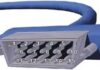
There is a specific kind of video cable that forces you to choose between convenience and purity. It’s the one with the round plug and multiple small pins. It carries color and brightness on separate wires within a single cord. This separation is the entire point. By splitting the signal, you avoid the muddy, bleeding colors that plague composite video. The trade-off? The connector is fragile. It has delicate contact points that wear out if you yank it too hard. But when it works? You get a cleaner image than almost any other analog standard.
This technology relies on a fundamental split in video data. You have chrominance, which is the color information. Then you have luminance, which is the brightness or contrast data. Keeping them apart stops them from interfering with each other. In composite video, these two get mashed together into one wire. The result is crosstalk. Colors bleed into the black levels. Details get lost in the noise. S-Video, or Super Video, fixes this by running two separate channels. One handles the grayscale detail. The other handles the hue and saturation.
Зміст
Why the Connector Design Defines the Picture
The hardware matters more here than in digital connections. Digital signals are either perfect or they fail completely. Analog signals degrade gradually. A bad connection means a blurry picture. The S-Video connector typically has four, seven, or even nine pins depending on the implementation. Each pin has a job.
Ground pins shield the signal. The luminance pin carries the sharp edges. The chrominance pins carry the color. Because these signals are low-voltage and sensitive, the physical design of the jack is critical. A loose pin breaks the circuit. Dust in the socket creates resistance. The result is a flickering image or a color cast that shifts as you wiggle the cable.
Manufacturers who prioritize build quality use gold-plated contacts. They ensure the pins align perfectly. Cheap alternatives might use plastic housings that warp over time. This warping misaligns the pins. The signal integrity drops. You might not notice it on a 480p CRT TV in a dim room. But on a sharper display, the difference is glaring.
The Evolution Away from Split Signals
This method was the gold standard for consumer video in the 90s and early 2000s. It was the step up from the single yellow RCA plug. Before that, you had RF modulators that were terrible. After this, we moved to component video and eventually digital formats.
Component video took this separation further by splitting the luminance into two components (Y, Pb, Pr) and using three cables instead of one. It offered better color accuracy. But it required more ports. HDMI changed the game entirely. It sends digital data packets. There is no separation of color and brightness in the physical sense because the data is encoded together and decoded by the screen. HDMI carries audio and video in one cable. It supports 4K, 8K, and high dynamic range.
So why talk about S-Video now? Because legacy equipment still exists. Retro gamers use it. Home theater enthusiasts hooking up old VCRs or DVD players still encounter it. Understanding how it works helps you troubleshoot why that old box looks better on an old TV than on a modern monitor with an adapter.
Luminance vs. Chrominance: The Core Conflict
To understand why this cable was built, you have to look at what the human eye prioritizes. We are more sensitive to changes in brightness than changes in color. This is why black-and-white TV works with less bandwidth than color TV. The luminance signal carries the high-frequency details. The sharpness of the image lives here.
The chrominance signal carries the low-frequency color data. If you lose luminance, the image becomes a blurry, indistinct blob. If you lose chrominance, the image turns grayscale. In a composite signal, the high-frequency luminance data interferes with the low-frequency chrominance data. This causes “dot crawl” or “color bleeding.” You see rainbow effects around high-contrast edges. S-Video prevents this by keeping the wires separate.
| Feature | Composite Video | S-Video | Component Video |
|---|---|---|---|
| Connections | 1 (Yellow RCA) | 1 (Mini-DIN) | 3 (RCA) |
| Signal Split | None (Combined) | Luma + Chroma | Y, Pb, Pr |
| Quality | Low | Medium/High | Very High |
| Durability | High | Low | Medium |
Modern Challenges and Digital Alternatives
Today, the main challenge with S-Video is not interference. It’s obsolescence. Most modern devices don’t have S-Video ports. You need an adapter. Adapters introduce another point of failure. They convert analog signals to digital or to other analog formats. This conversion often degrades the signal further.
Wireless transmission is also a factor. Wi-Fi 6 and even Li-Fi are pushing high-bandwidth video over the air. But they require significant processing power. S-Video is simple. It requires no encoding, no decoding, no compression. It is a raw analog signal. This simplicity is why it is still used in some professional surveillance cameras and legacy broadcast equipment.
The future of video is digital. HDR, wide color gamuts, and high frame rates are impossible to achieve with analog separation of luminance and chrominance. Digital formats can encode billions of colors and transmit them without the physical limitations of copper wires. But for now, if you are running an old console or a vintage camcorder, the fragile S-Video cable remains the best analog option for preserving image fidelity.
It’s a niche. A fading one. But it teaches a valuable lesson about signal integrity. Separation is power. Whether it’s audio left and right channels, or color and brightness, keeping things distinct usually results in a cleaner product. The S-Video connector is a reminder that sometimes, a little complexity in the cable yields a better picture. Just don’t drop it. The pins bend. And once they bend, the connection is gone.