Tim Cook walked the stage. He gave the goodbye speech. It was bookending his final appearance as the person steering the Worldwide Developers Conference. Next year, assuming nothing spectacular falls apart, John Ternus will take the mic. We’re going to see a new boss.
Performance upgrades happened, display rendering got a bump. Good stuff, but Apple didn’t waste breath on it. They fast-forwarded past the boring parts. All that time? Saved for Apple Intelligence. Also, new rules for keeping kids out of trouble.
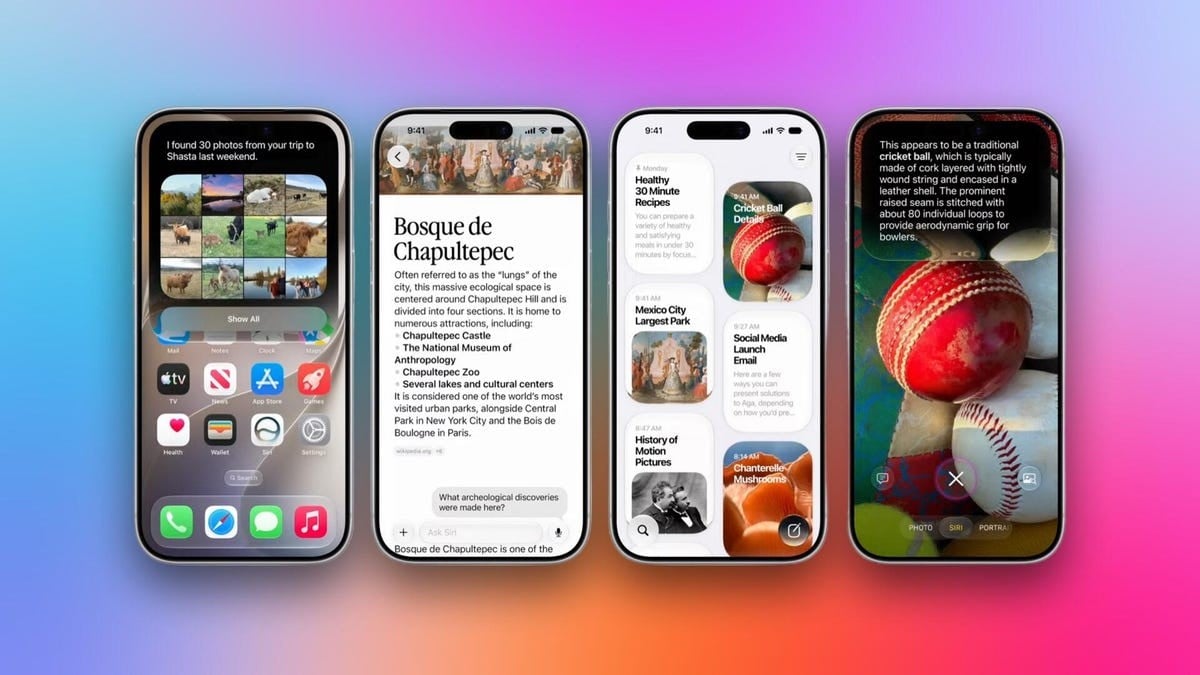
Whether you cheer it on or delete it, Apple Intelligence is the center of gravity. Its eyes are called Visual Intelligence. Its mouth is Siri. It is the face of their strategy for macOS 17, iOS 18, and every other operating system rolling out right now.
It started at WWDC 24. Then they slowed it way down. Dropped the pace. Now they are cranking it back up. Catching up to where everyone else already is. Just without the delay we saw before.
I started writing this, thinking it was mostly flashy lights. Then I realized there was a lot underneath. Here is what actually matters.
Зміст
Liquid Glass
It was rough at launch. Last year’s redesign needed help. We all knew this. The icons? Too transparent. Hard to read. Me included.
This year gives you the wheel. A slider controls opacity and tint. Sharp icons return. Menus and sidebars got a tweak too. I am persnickety about design details. But I do not care if corner radii match across Macs. My colleagues do though.
One thing bothers me. Settings are a mess. Buried in Accessibility. Things that are just about look and feel? Hidden. Why do I need to dig through motion behavior settings just to find out if they are adjustable?
Apple is probably counting on AI to find things for me. A trend I am noticing in software. And having a meh experience with.
Optimize Me
Screens respond faster. Apps launch quicker. They pre-cache data before you even touch them. File handling got stronger. Copying. Moving. It all works better now. Search indexing is rebuilt from scratch, so you actually find what you look for. Wi-Fi switching is smarter when you roam.
And here is the kicker. These speedups work on hardware going back to the iPhone 11.
Why do they need speed? Because the AI is heavy. The CPU scheduler has to juggle agents and tasks. If the apps do not load fast enough, the AI cannot grab the context it needs. You wait. It hangs. No good.
Apple Intelligence and Siri
Cross-device sync. Everywhere. iCloud. That default 5 GB is looking tiny.
They did not pitch it by device. They pitched it by capability. What you can do. Siri got renamed. It is Siri AI now. Not the old, sad voice from ten years ago.
Check the transcript counts:
– Siri: 102
– iOS: 9
– macOS: 9
– iPadOS: 4
Do some features look familiar? Yes. Because they look like things Google showed off. Except Apple did not talk about luxury vacations in their demos. They talked about splitting a bill. Less tone-deaf. But the tech? Adapted from Gemini models.
Apple keeps preaching “privacy first.” On-device processing. Private cloud compute. But here is what struck me. They mentioned external auditing.
Big tech usually relies on self-policing. Believable? No. Audits might be the missing piece.
I also think splitting the Siri app is smart. Separate the deep chat history from simple on-device searches. At least you know where your data lives. Finally, you can control the pace of Siri’s voice. Bonus for New Yorkers who hate waiting.
Think of the Children
Access control is tricky. Apple is trying. The new system sounds solid until tested.
On-the-fly decisions are the key feature. Ask to Browse. Parent gets pinged when a kid wants a new site. Ask to Buy. Pinged for downloads.
You can approve chats. Blur bad content in Messages automatically. Set time limits on games and social media. Defaults depend on age. Under 13? Stricter.
Will developers play ball? Social media companies hate these controls. We will see how far Apple pushes them.
On Safari
I am not a heavy Safari user. But I hate tabs.
Safari now groups them by topic automatically. Adds new ones for you. Sounds great in theory. In practice? Unless I research only one subject, the lines blur. Gaming laptops? Data centers? Shortages? They all overlap.
Another trick. Describe an extension, get it built on the fly. Vibe creation. I don’t know the limits though. What kinds of extensions can you actually generate?
The Passwords app will auto-update your credentials. But you have no control. You do not know what they will change the password to. Or why it made the choice it did.
MacOS 17
The biggest change was barely mentioned.
A Dynamic Island interface for Siri. Accessed by swiping down.
Swiping.
Down. On a laptop screen? That usually means one thing. Touchscreens are coming. We have been expecting it for years. Here it is.
Nice-to-haves
Random useful features popped up elsewhere too.
- Better notification grouping
- Health app upgrades
- Apple Fitness integration changes
Not groundbreaking. Just… there. Useful? Maybe. Depends on your setup.