Your hard drive is lying to you. It says you have space, but you’re drowning in digital clutter. We’ve all been there. You download a photo, save it again as an edit, then move it to a cloud backup, and somehow, five identical copies of the same JPEG are eating up megabytes. This redundancy isn’t just messy. It chokes your system performance and wastes precious storage capacity.
Tenorshare Duplicate File Deleter exists to fix this exact mess. It’s not just a cleanup tool; it’s a rescue mission for your data integrity. Whether you are a casual user trying to free up room on a personal laptop or an IT pro managing a server farm, duplicate files are the silent enemy of efficiency. This software tackles the problem head-on with a straightforward interface that doesn’t require a degree in computer science to operate.
The real magic happens under the hood. The tool uses sophisticated algorithms to look past filenames and extensions. It analyzes the actual content of files. Two files can have different names but be identical in content. Tenorshare sees this. It scans across different folders, formats, and locations to find the truth. This means you aren’t just deleting things that look similar; you are removing true duplicates. The result is a cleaner, faster system without the risk of accidental data loss.
Зміст
Installation and Compatibility: Where Does It Run?
Getting started is painless. You download the executable, double-click, and follow the prompts. There is no complex configuration wizard that asks for your life story. The process is automated and intuitive. Once installed, you are ready to scan.
However, you need to know where this tool lives. It is built for Windows and macOS. Specifically, it supports Windows 7 through Windows 11. macOS versions are also supported, covering recent releases. This makes it a viable option for hybrid workspaces where staff might use both platforms.
But here is the catch: it does not run on Linux. There is no Android app. No iOS version either. If you are trying to clean up your phone or a Linux server, this software will not help you. It is strictly a desktop utility for traditional PC and Mac environments. This limitation matters if your workflow is heavily mobile or Linux-centric.
The software remains lightweight. It doesn’t hog resources, which is good news for older machines. You can run it on a decade-old laptop without melting the CPU. That said, it requires a baseline of system resources to function smoothly.
Why You Need a Duplicate File Deleter Now
You might ask, why bother? Why not just manually delete files? Manual deletion is slow, error-prone, and tedious. You end up deleting the wrong file by accident. Tenorshare offers preview options. You can see what you are about to delete before you commit. This preserves data integrity.
The tool also offers sorting and filtering. You can choose which duplicates to keep based on size, date, or file type. This level of control is essential for professionals who cannot afford to lose specific versions of a document.
For IT managers, the value proposition is clear. Redundant files bloat backups and slow down network transfers. Cleaning them up reduces storage costs and improves operational speed. Tenorshare Duplicate File Deleter provides a reliable way to rationalize data storage. It handles large volumes of data, from small family photo albums to massive professional collections.
Keeping the Software Current
Updates matter. Security patches and algorithm improvements keep the tool effective against new file types. Tenorshare includes a built-in update checker. You don’t need to hunt for new versions on a website. The software tells you when an update is available.
Interestingly, you can also install older versions if needed. Maybe a specific legacy system requires an older build. This flexibility adds to the tool’s longevity. It ensures the software remains relevant as operating systems evolve.
The installation process itself is smooth. No deep registry edits or manual dependency checks. Just install, configure your scan folders, and go. This ease of use lowers the barrier to entry. Even novice users can maintain a tidy hard drive without calling IT support.
The Bottom Line
Tenorshare Duplicate File Deleter is a practical solution for a common problem. It works on Windows and Mac. It ignores Linux and mobile devices. It finds duplicates by content, not just name. It saves space and improves performance.
If your drive is full of clutter, this tool offers a structured way to clean up. It doesn’t replace manual management entirely, but it handles the heavy lifting. The question is no longer whether you have duplicates. It’s whether you want to spend hours finding them or let a tool do it in seconds. The choice is yours. Your free space is waiting.
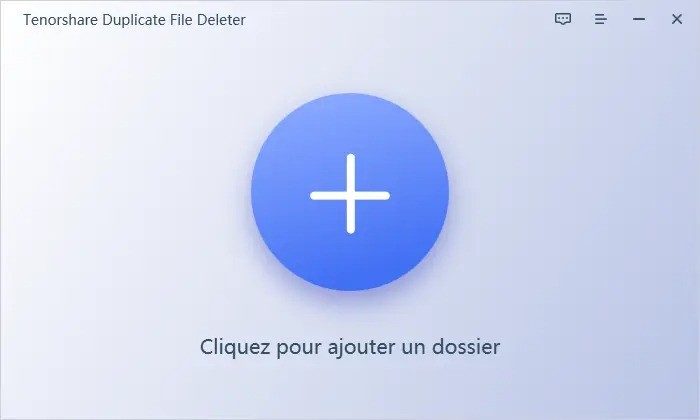
How Tenorshare Duplicate File Deleter Handles Duplicate Detection and Prevention
Tenorshare Duplicate File Deleter doesn’t just look for exact matches. It digs deeper, finding files that are functionally identical even if their names or minor metadata differ. This is crucial for modern digital hoarding. You might have a photo that looks different because it was edited, resized, or saved in a new format. To the naked eye, they seem distinct. To the software’s engine, they are duplicates. This nuanced approach prevents the clutter of near-identical files from clogging up storage.
The interface prioritizes safety through real-time preview. Before you delete anything, you see the candidates side-by-side. This isn’t just a list; it’s a visual check. You verify which version to keep. The tool supports a wide array of file formats and lets you apply advanced filters. Need to ignore system files? Done. Want to target only high-resolution images? Also possible. After the cleanup, it generates a detailed report. For IT managers or professionals who need an audit trail, this traceability is non-negotiable.
Comparing Deduplication Tools: Tenorshare vs. CCleaner and Duplicate Cleaner
How does Tenorshare stack up against established names like CCleaner or Duplicate Cleaner? The difference lies in focus. CCleaner is a generalist. It cleans cookies, clears cache, and fiddles with the registry. Its deduplication feature is often secondary to its broader system optimization goals. Tenorshare doesn’t try to be everything to everyone. It specializes.
Duplicate Cleaner is a strong competitor in the space. It offers robust scanning. However, Tenorshare’s interface is often praised for its clarity and ease of use. Where other tools might overwhelm you with technical jargon or complex settings, Tenorshare keeps the workflow linear. The result is a cleaner experience for users who want efficiency without the learning curve. It’s a targeted solution for a specific pain point: storage bloat caused by redundant files.
Tenorshare Duplicate File Deleter Pricing and License Options
Is it free? Sort of. The evaluation version allows you to test the detection engine. You can scan your drives. You can see the results. But you can’t delete much. The free tier is a demo, not a full utility. It lets you judge the quality of the matches before you pay.
For actual cleanup, you need a license. The pricing model is standard for professional utilities: monthly, annual, or perpetual. The cost scales with the number of seats or installations. There is no student discount. There is no completely free version for unlimited use. Occasional promotions might lower the price, but don’t count on a permanent free tier. This model reflects the value placed on precision and speed. You are paying for a tool that works reliably, not just one that promises to.
Best Practices for Safe File Deletion and Support Resources
Deleting files is risky. One wrong click and your data is gone. Tenorshare mitigates this through design, but user discipline matters. Always back up critical data before running a deep scan. This is especially important in professional environments or when dealing with large volumes of data. Use the filters to exclude sensitive directories. Let the preview pane do its job. Don’t trust the software blindly. Verify.
Support is handled through a robust online documentation library. It covers installation, license management, and common troubleshooting. There are no official certifications or training courses. You’re expected to learn autonomously. The help files are detailed enough for most users. For complex issues, customer service is available. They handle technical glitches and licensing queries. Regular updates keep the software secure and expand format support. This ongoing maintenance ensures the tool remains effective as file types evolve.
Why a Trial Version Matters for Enterprise and Personal Use
The trial version is more than a teaser. It’s a testing ground. For individual users, it proves the software finds what you didn’t know you had. For IT administrators, it validates integration. Can it handle a heterogeneous Windows and macOS environment? The trial lets you check. It offers flexibility. You can assess the impact on system performance. You can judge the accuracy of the detection.
In an era where data volumes explode daily, reliable management tools are essential. Tenorshare Duplicate File Deleter offers a focused, secure, and sustainable approach. It doesn’t promise to fix your entire computer. It promises to clean your files. That simplicity is its strength. The result is a less cluttered digital life. And for now, that’s enough.
Technical specs for Tenorshare Duplicate File Deleter
You need to know the machine requirements before dragging that installer into your Applications folder. Tenorshare Duplicate File Deleter isn’t magic. It’s code that needs a specific OS to run. And if you’re trying to squeeze this into a legacy IT environment, the compatibility list tells a specific story.
The software lives in the utilities category. Specifically, file management and deduplication. It’s a desktop app. Graphical interface. No command line hacks for the average user here.
OS compatibility and architecture
Here is where it gets specific. Windows users have the most options. The software supports Windows 7, 8, 8.1, 10, and 11. That covers almost every corporate machine still in circulation. Mac users aren’t left out. macOS is supported.
Architecture-wise, it handles both 32-bit and 64-bit systems. This depends entirely on your operating system. If your PC is from the last decade, it probably works. If it’s ancient, you might hit a wall.
Installation is straightforward. You get a standalone .exe file on Windows. On macOS, it’s a .dmg disk image. You install it. Locally. It is not portable. You can’t just stick this on a USB drive and run it from any machine. It needs to be installed.
How Tenorshare Duplicate File Deleter works under the hood
Why does this matter? Because the detection method dictates accuracy. The tool uses file fingerprints and content comparison. It doesn’t just look at filenames. Two files can have different names but identical content. The software spots this. It digs into the data.
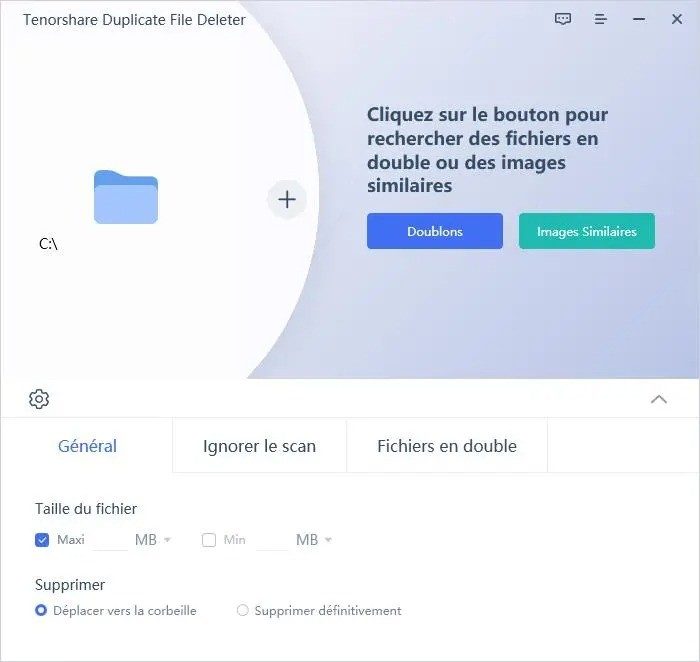
What folders does it scan? You pick. Or you let it scan entire volumes. External drives mounted to your system count too. It reads what you allow it to read.
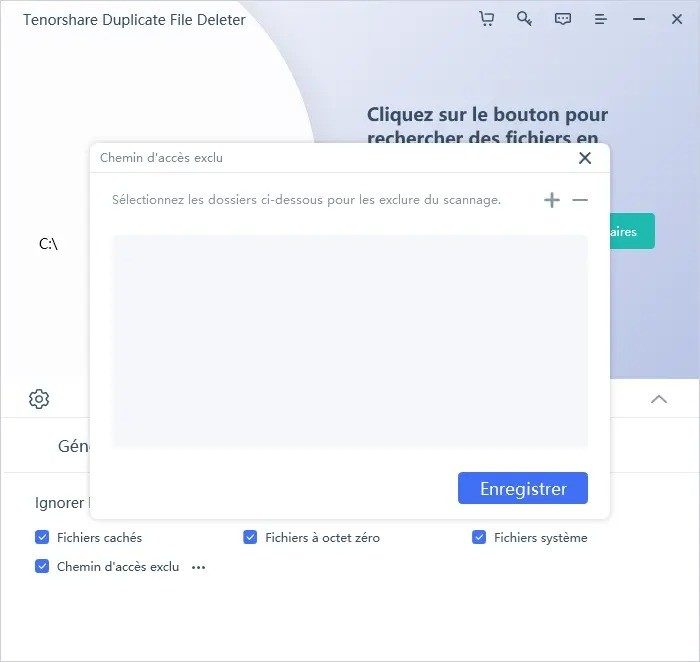
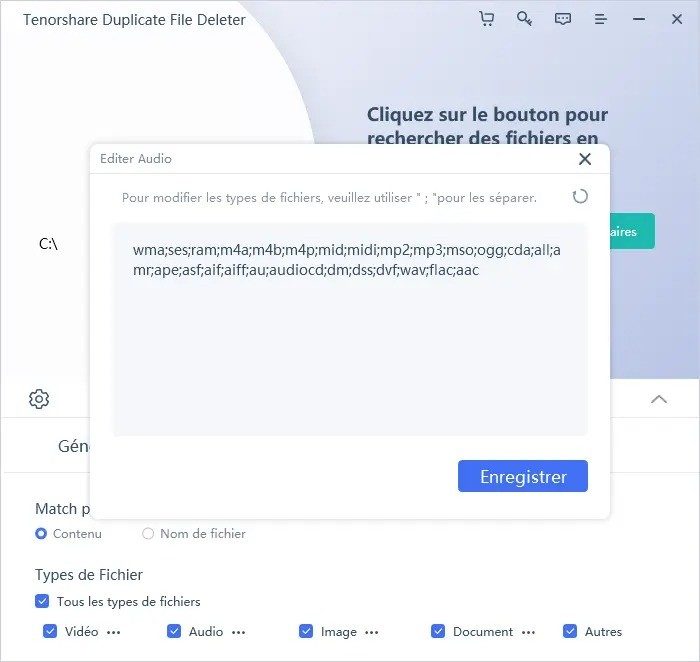
Filters are where you get control. You can exclude files by type, size, or date. Say you want to keep original photos but delete edited copies? You set rules. You exclude specific directories if they contain system-critical data you don’t want to touch.
The deletion process isn’t automatic. It’s selective. You preview the results. You confirm. You don’t just watch your drive empty itself.
Hardware needs and connectivity
Do you need a supercomputer? No. Standard PC or Mac configurations are enough. Tenorshare doesn’t list strict minimums like RAM or CPU cores in their public specs. It’s lightweight enough to run on most modern hardware without choking the system.
Languages? It’s multilingual. But check your edition. Not all versions support every language.
Internet? You don’t need a constant connection to scan your hard drive. The analysis is local. Offline. But you do need internet for licensing activation, updates, and support. It’s not a fully offline tool in the long run.
Access rights and support
The software requires read and write permissions on the locations you analyze. If Windows blocks it from deleting files, you’ll get errors. Run it as administrator if you hit snags.
Support comes via online documentation. Updates are pushed from within the application. It’s a managed experience.
Is it perfect? No software is.
The Reality of API Limits and Throttling
You hit the rate limit. It happens to everyone. The request fails with a 429 status code and a polite message telling you to slow down. This isn’t a bug. It’s a feature designed to keep the lights on for everyone else.
Most developers treat APIs like infinite wells. They aren’t. Every endpoint has a ceiling. The question isn’t whether you will hit it. It’s how you handle the moment you do.
Why Rate Limits Exist
Services don’t cap requests to be difficult. They do it to manage load. When thousands of clients hammer a server at once, latency spikes. Timeouts multiply. The system slows to a crawl or crashes entirely.
Throttling protects availability. It ensures that one noisy neighbor doesn’t drown out the rest. Without these limits, shared infrastructure becomes unstable. Users experience broken experiences. Companies lose trust.
The cap varies by tier. Free accounts get the tightest restrictions. Paid plans offer higher throughput. Enterprise contracts might secure dedicated capacity. You pay for breathing room.
How to Handle Throttling Gracefully
Ignoring the error isn’t an option. Your app needs to anticipate these blocks.
Implement exponential backoff. When a request fails, wait a short period. Then retry. If it fails again, wait longer. And longer still. This prevents your client from spamming the server while it’s recovering.
Cache responses locally. If the data doesn’t change often, store it. Don’t fetch it again until the cache expires. This reduces unnecessary API calls. It keeps you under the limit.
Batch requests where possible. Instead of calling an endpoint ten times for ten items, ask for all ten in one go. Most APIs support batch operations. This cuts down on round trips.
Monitor your usage. Set up alerts. Know when you’re approaching your limit. Don’t wait until the error page to find out you’ve exceeded your quota.
Which API Strategy Fits Your Needs?
Not all APIs are created equal. Some are RESTful. Others use GraphQL. The way you consume them affects your rate limit strategy.
REST endpoints often have fixed limits per path. GraphQL queries can be weighted differently based on complexity. A single complex query might count as multiple standard requests. You need to understand the pricing model.
Look at the headers. X-RateLimit-Remaining tells you how many requests you have left. X-RateLimit-Reset shows when the counter refreshes. Parse these. Use them to adjust your behavior dynamically.
The Hidden Cost of Efficiency
Pushing the limit feels efficient. It uses the least amount of code. It’s the fastest way to get data. But it’s fragile.
A sudden spike in traffic can break your integration. A change in the API’s policies can invalidate your assumptions. You need redundancy. You need fallbacks.
Consider using a third-party provider if the native API is too restrictive. They often have higher limits and better infrastructure. The cost adds up. But stability is worth more than cheap calls.
What Happens When You Ignore the Rules
Some try to bypass limits. They use proxies. They rotate IPs. They create multiple accounts.
Platforms detect this. They flag suspicious activity. They ban accounts. You lose access to the data you relied on. Recovery is difficult.