PDF files are stubborn. You know the type. You try to edit a single paragraph and the whole layout breaks. You want to combine three invoices into one file and end up with a headache. PDFCandy tries to fix this. It’s a suite of tools designed to make PDF management less of a chore and more of a click.
Whether you are a student cramming for exams, an office worker drowning in reports, or just someone trying to fill out a government form, this tool aims to lower the barrier. No advanced technical skills required. Just drag, drop, and go.
Зміст
Why use PDFCandy for document conversion?
The core value here is versatility. PDFCandy doesn’t just open files. It transforms them.
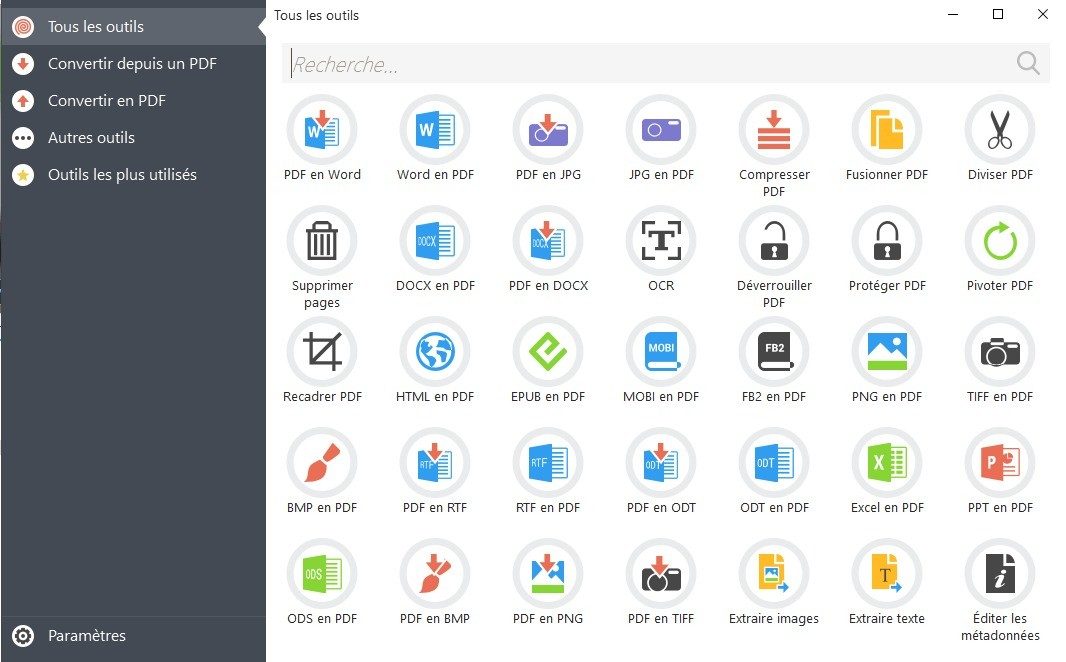
Need a Word doc from a PDF? Done. Want a PDF from a JPG? Easy. It handles the heavy lifting for conversions between PDF and standard formats like Excel, Word, and various image types. This matters because sharing a locked PDF with a colleague who needs to edit text is useless. Converting it first solves that friction.
But it’s not just about changing formats. It’s about shaping the document.
- Merge multiple files into one.
- Split a massive PDF into smaller chunks.
- Compress a file that’s too big to email.
- Add watermarks for branding or copyright.
- Rotate, delete, or reorder pages.
- Lock files with a password or unlock ones you’ve forgotten the password for (if you own them, obviously).
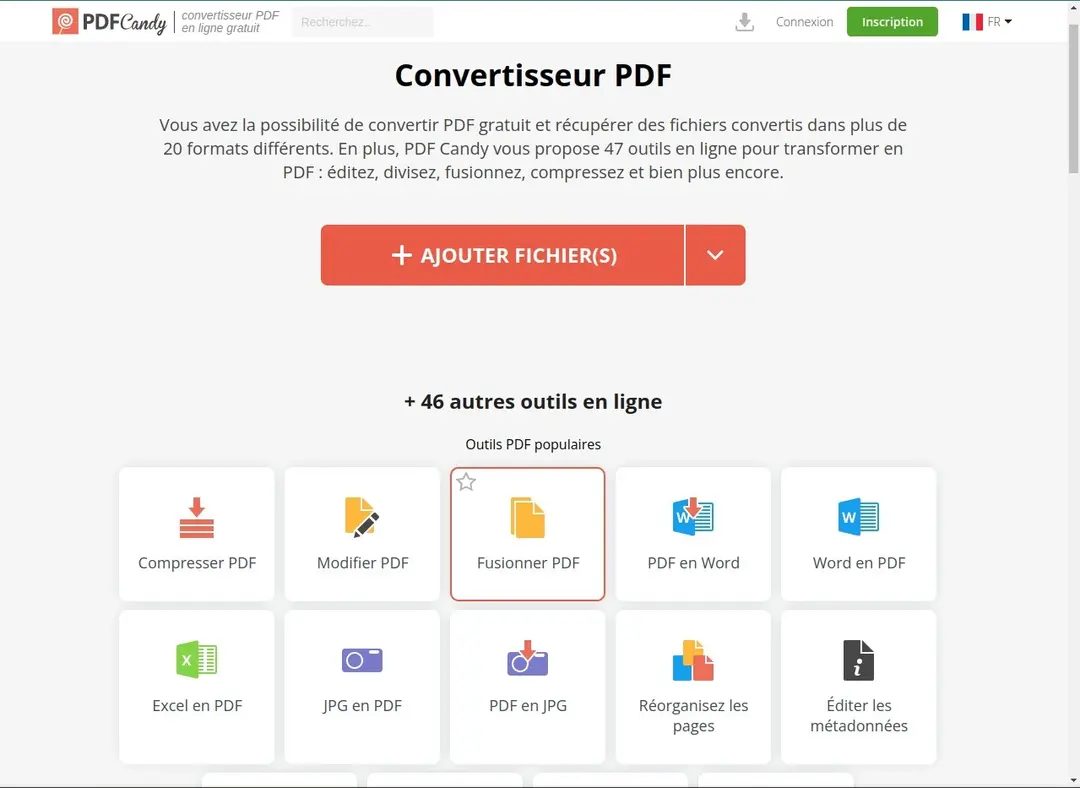
The interface is bluntly simple. Upload the file. Pick the tool. Wait. Download.
There is no learning curve. If you can use a web browser, you can use this.
How to install or access PDFCandy
You have two main ways to use PDFCandy. The choice depends on your workflow and your device.
The Online Version
This is the most accessible route. No installation needed. No software updates to manage. Just open your browser, go to the site, and start working.
It works everywhere. Windows, macOS, Linux, Android, iOS. As long as you have internet and a modern browser, you’re good. This is great for quick tasks or when you are on a public computer where you can’t install software.
The Windows Desktop App
For heavy users who prefer offline work or frequent tasks, there is a dedicated Windows application.
- Supports Windows 7, 8, 8.1, 10, and 11.
- Download the installer from the official site or trusted repositories like Futura-Sciences.
- The setup is guided and quick.
The desktop app feels snappier for repetitive tasks. It doesn’t rely on your internet connection speed every time you want to compress a file.
Is PDFCandy free?
Yes, but with limits.
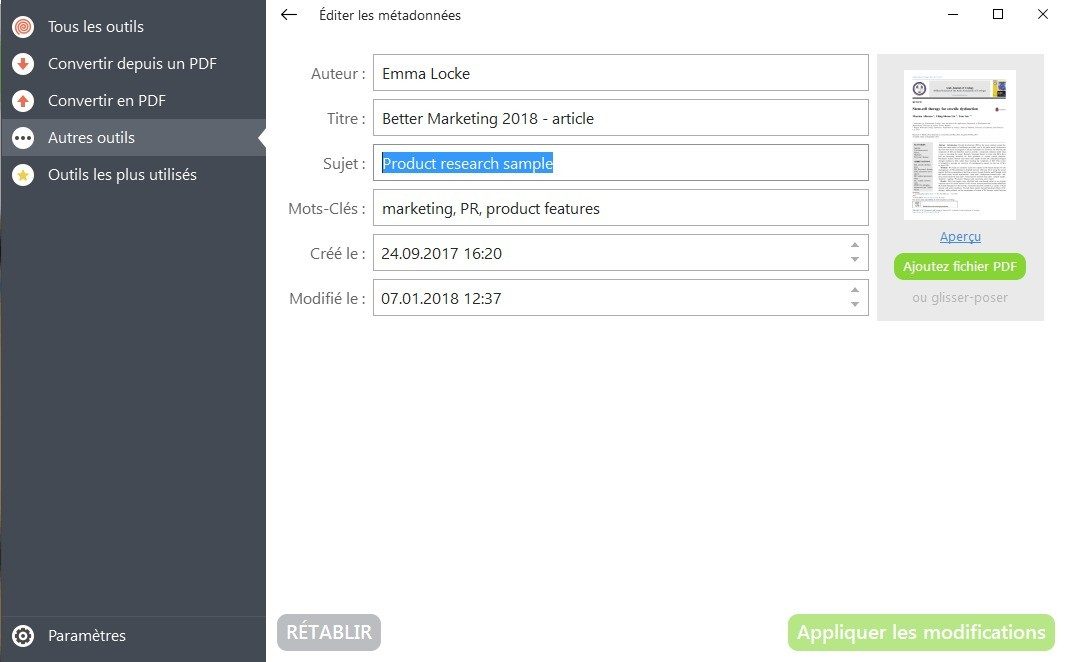
The free tier covers the basics. Conversion, merging, basic editing. For most casual users, this is enough. If you are just fixing a document once a month, you might never need to pay.
For power users, businesses, or anyone hitting the daily limits, there is a Premium option. You can choose a subscription or a one-time perpetual license. The pricing scales from individual users to students, associations, and enterprises.
Compared to Adobe Acrobat or other enterprise-grade tools, PDFCandy is cheap. Some might argue it’s cheaper than a cup of coffee. The trade-off? You lose some of the granular control found in professional suites. But for 90% of everyday tasks, that control is unnecessary overhead.
So, do you need it?
If your life revolves around PDFs, probably. If you rarely touch them, you might be fine with built-in tools. But when the built-in tools fail—and they often do—having a reliable fallback like PDFCandy saves time. And time is the one thing you can’t compress.
How PDFCandy stacks up against Adobe Acrobat and Smallpdf
The PDF tool market is crowded. You’ve got the giants like Adobe Acrobat, the steady players like Foxit PDF Editor, and the web-first contenders like Smallpdf. They all promise the same thing: turn your messy files into neat, professional documents. But they don’t all play by the same rules.
PDFCandy cuts a different figure. It operates on a hybrid model. You can use it in your browser or install it on your desktop. That flexibility matters. More importantly, it gives you a lot of functionality for free. Adobe? They want a subscription. A pricey one, if you want the advanced editing features. Smallpdf imposes strict limits on free users. PDFCandy doesn’t. It offers a robust set of tools without asking for a credit card upfront. For someone who just needs to merge two invoices or convert a Word doc to PDF once a month, that’s a huge win.
Then there’s the interface. Some pro software feels like flying a plane. You need a manual. PDFCandy is like driving a car. You get in, you go. The learning curve is flat. Tasks take fewer clicks. That speed builds loyalty. Users—both casual and professional—stick around because it respects their time.
Privacy isn’t just a buzzword for PDFCandy. It deletes your documents from their servers quickly after processing.
This is a key differentiator. Many American tech giants store processed files. Sometimes indefinitely. That’s a risk if you’re handling sensitive data. PDFCandy’s policy is clearer. Your file goes in, it gets processed, and it gets deleted. No lingering digital footprint.
And notice something else? You don’t need an account. Most competitors force you to sign up. They want your email. They want to build a profile. PDFCandy lets you skip that. No registration friction. Just open the tool and work. For students rushing before a deadline or professionals managing tight workflows, that lack of gatekeeping is pure productivity.
Who actually uses PDFCandy and how it stays updated
PDFCandy isn’t just for IT departments. It’s for the student prepping a thesis. The teacher organizing handouts. The freelancer sending a polished proposal. The range of users is wide because the needs are universal. Everyone deals with PDFs. Everyone hates when they’re hard to manage.
Whether you’re extracting specific pages from a 500-page manual or converting a spreadsheet into a locked PDF, the tool handles it. You can group files. You can pull out just what you need. It brings order to chaos.
But software rots if you don’t maintain it. Updates matter. For the Windows desktop app, PDFCandy pushes regular updates. These aren’t just cosmetic. They fix security holes. They ensure compatibility with newer file formats. You can set it to update automatically. Or you can check manually. It’s your call.
The web version? It’s always current. Why? Because the code lives on the server, not your hard drive. You don’t install updates. You just open the browser. That’s the beauty of the cloud model.
Training isn’t formal. There’s no “PDFCandy Certified Expert” badge you can hang on your wall. But you don’t need one. The interface is intuitive. Plus, the internet is full of tutorials. Teachers and training organizations have created guides. These resources help users integrate the tool into their daily workflows. It’s practical education. Not theoretical.
You might find old versions of PDFCandy floating around online. Don’t download them. Stick to the latest. Newer means safer. Newer means better features. Whether you’re on a desktop, a laptop, or checking in on your phone, the goal is the same. Access. Efficiency. Privacy.
It’s not the only tool out there. But for many, it’s the right one. At least for now.
What specs actually matter for PDFCandy?
You don’t need a supercomputer to run PDFCandy. It’s built for the average Windows machine, not a workstation dedicated to 3D rendering. The software comes from Icecream Apps, and it runs on Windows 7 all the way up to Windows 11. That’s a wide range. It supports both 32 and 64-bit systems. Why does that matter? Because it means even if you’re stuck on an older laptop that refuses to upgrade, the desktop app will still install. It’s lightweight. It doesn’t demand specific hardware drivers or extra dependencies.
The online version, though, changes the game. You can use it on macOS. Linux works. Android and iOS are in the mix. All you need is a modern browser. Chrome, Firefox, Edge — it doesn’t care. This makes it one of the few PDF tools that actually works everywhere without forcing you to buy a separate native app for each operating system.
Which file formats does PDFCandy actually handle?
Here is where the utility kicks in. Most people think PDF converters only go from PDF to Word. PDFCandy does more. It eats DOC, DOCX, XLS, XLSX, and PPT files. It takes images like JPG and PNG. It even handles RTF, ODT, and e-book formats like EPUB and MOBI. Plain TXT files are included too.
Why list these? Because you might need to convert a scanned image into a PDF. Or turn a PowerPoint presentation into a flat document that no one can edit. The drag-and-drop interface handles this. You drop a batch of files in. The tool processes them. It’s not magic, but it’s fast. The desktop app lets you do this offline. The web version needs internet.
Is your data safe when converting files?
Security is the big question with online converters. You’re uploading private documents to a server. PDFCandy uses HTTPS encryption for transfers. That means the data is scrambled while it moves from your computer to their servers. Icecream Apps claims to follow a strict privacy policy. Files are processed and then deleted.
But do you trust it? If you’re working with sensitive legal contracts or personal tax returns, the desktop app is safer. It processes files locally on your hard drive. Nothing leaves your machine. The web service is convenient for quick, non-sensitive tasks. Like converting a recipe or a casual memo.
How do you install and use it?
The license is freemium. You can use it for free. There are premium options if you need heavy batch processing or higher quality outputs. The desktop app uses a standard Windows installer. It’s quick. No complex configuration. You click next, next, finish. Done.
The web service requires zero installation. Just open the URL. The interface is the same logic. Drag files in. Select the conversion. Download the result. It’s designed to be idiot-proof. Which is good. Because nobody wants to read a manual to convert a PDF.
“The goal is a frictionless workflow, from simple assembly to advanced conversions.”
It’s not perfect. The free version has limits. But for everyday users, it covers the basics. It’s reliable. It’s available everywhere. And it doesn’t break your system.
The Privacy Paradox: Why Opt-Outs Fail
Here is the rub. You can opt out. Technically. But the systems are designed to make you want to give up. It is friction vs. convenience, and convenience usually wins.
Most users don’t know they are being tracked. They assume “privacy policy” means “we won’t sell your data.” It rarely means that. It usually means “we will sell your data, but only if we feel like it and after we’ve minimized the risk.”
The real issue is data aggregation. One app knows your location. Another knows your purchases. A third knows your browsing history. Alone, those are boring. Combined? They are a goldmine for advertisers. And you? You are just the vessel.
What Can You Actually Do?
Panic doesn’t help. Rage-quitting every app isn’t practical. You need a strategy.
First, assume everything is public. If you wouldn’t put it on a billboard, don’t type it into a free app.
Second, use privacy-focused alternatives. DuckDuckGo over Google. Signal over WhatsApp. Firefox over Chrome. It is not a perfect shield, but it reduces the noise.
Third, check your settings. Not just once. Annually. Apps change their defaults. Google added “Incognito” features that still track you for “improving user experience.” Apple tightened its App Tracking Transparency, but apps found loopholes. It is a cat-and-mouse game.
Privacy is not a destination. It is a constant negotiation.
The Future: Regulation vs. Reality
Governments are catching up. The GDPR in Europe was a shock to the system. It forced companies to ask permission. The CCPA in California did similar. But enforcement is spotty. Fines are cheap for big tech.
Will AI fix this? Maybe. Maybe not. AI needs data. Lots of it. The more personalized the AI, the more it invades your privacy. You want a assistant that knows your schedule? It needs access to your calendar, emails, and location. Trade-off.
The bottom line? We are trading privacy for utility. It is a fair trade for some. A terrible one for others. But the choice is rarely clear.
You think you have control. You probably don’t. But you can make it harder for them. Start small. Delete one app. Change one setting. It matters. It just doesn’t feel like it.