How #Nitro PDF is changing document workflows for Windows, Mac and mobile users
Over the years, Nitro PDF has built a reputation as a strong contender in document management. This is more than just a viewer. It’s a versatile software suite designed to help you navigate the chaotic realities of modern back-office processing, whether you’re an independent freelancer or a corporate IT executive. This software handles the entire life cycle of a PDF file: creation, editing, conversion, protection, and collaboration.
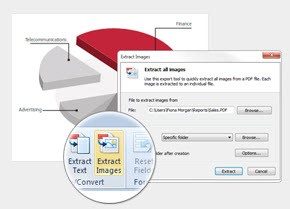
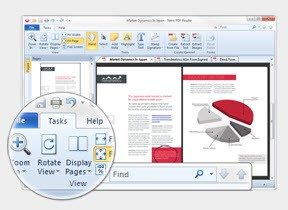
The user interface is very clean. It’s designed to help you get things done quickly, even if you’re not a technical expert. True power lies in the depth of your toolkit. You get electronic signatures. Get powerful markup tools. You can combine pages, extract specific parts, and convert files to and from popular formats such as Word, Excel, PowerPoint, and various images.
Best of all, Nitro allows for direct editing. You can correct typos, update images and change hyperlinks in the PDF window itself. No need to go back and redo the original source files. Save time. Errors are reduced.
Зміст
Nitro PDF security and compatibility
Safety is not an afterthought here. Nitro PDF adheres to strict industry standards such as PDF/A for long-term archiving. This is important for companies that need to keep records for several years without the files becoming corrupted or unreadable.
Privacy tools are very powerful. Protect your files with a password, encrypt your data and strictly control access. In an age of frequent data breaches, these features are important for protecting sensitive customer data and internal policies. The software is regularly updated to be compatible with the latest operating systems and security patches.
Nitro also provides clear documentation and training resources. This support structure helps users move beyond basic usage to advanced document digitization workflows. This is a huge advantage for teams looking to standardize their digital processes.
Installation and cross-platform availability
Although the software is easy to use, the platform support has its own nuances.
For Windows 10 and Windows 11 the installation is natively optimized. You can download the executable from Nitro’s official website or from trusted partners like Futura. Double-click the file. Follow the installation wizard. Accept the license. Select optional settings. This software is tightly integrated with the Windows environment and takes full advantage of its performance.
MacOS support is new, but fully functional. Apple users can download a separate app for iOS devices such as iPhone and iPad. This Mobile version is not a stripped down version of the desktop app. View, mark up and sign documents anytime, anywhere. These features are a little more limited than the full version of Windows, but they cover everything you need for travel or a quick meeting.
Linux and Android have no native support. For Linux, it may be possible to find a solution using an emulator, but Nitro does not recommend or guarantee this. It is unstable. For a stable user experience, use Windows or macOS.
Why this matters to everyday users
You might think that PDF files are static. They are not. The ability to edit text and images directly in PDF files will change the way you work. You no longer need expensive software to correct small errors in contracts or update dates in presentations.
The conversion tools are also useful. Converting scanned images into editable Word documents is a common concern. Nitro addresses this issue precisely. With mobile apps, your workflow doesn’t stop when you’re away from your desk. Sign documents on your iPad on the go. Protect sensitive files on your Windows laptop before sending them.
The key to effective document management is to have tools that work with your environment, rather than forcing the tools to adapt. Nitro PDF aims to do just that. Look between a simple presentation and a complex documentary design.
Especially for advanced security settings there is a learning curve, but the documentation is helpful. As a result, digital paperwork becomes more controlled, efficient and secure. Whether you’re managing your personal taxes or corporate compliance, owning and editing PDFs, protecting them, and transferring them seamlessly is a huge advantage.
The market is crowded. There are also a lot of free viewers. But if you need to edit, sign, and protect with enterprise-grade reliability, Nitro is still the best choice. It’s more than just viewing files. It’s about controlling them.
Nitro PDF vs. Adobe Acrobat and Foxit
Adobe Acrobat is the historical heavyweight in the PDF space. This is standard in high-stakes professional environments. Nitro PDF sits in a different lane. It provides a smoother user experience and consumes less system resources. The value proposition is clear. Get powerful features without the heavy price tag of a full enterprise package.
Nitro is typically preferred by small businesses and educational institutions. They need robust tools, but couldn’t justify Adobe’s costs. Or Foxit, for that matter. Nitro fills that gap. It handles the heavy lifting of document management without spending a lot of money.
This software excels in important areas of daily work. Batch processing is fast. The conversion tool is reliable. Electronic signatures are secure. Integration with cloud platforms such as Google Drive and OneDrive is seamless. This makes it ideal for collaborative environments. Teams can work together without friction.
Licensing is straightforward. There is no such thing as a forever free version. However, the 14-day trial period is unrestricted. You can test each feature before committing. After the trial period ends, you need a valid license key. Discounts are available for students, teachers and schools. Proof of eligibility is required. Enterprise packs include support and updates.
Some advanced features lag behind its competitors. Deep OCR is isn’t as polished as in Adobe. Real-time collaborative editing is less developed than in Foxit. But for 90% of users, Nitro covers the basics perfectly. It’s easier to learn. New users will not be surprised by the cluttered interface.
Licensing, Updates, and Community Support
Nitro uses a hybrid licensing model. You can buy a perpetual license or an annual subscription. There are two options for both professional and personal users. The 14-day evaluation period is important. This allows you to explore the software risk-free. Make a financial commitment only if you know it fits your workflow.
For security reasons, updates are non-negotiable. Nitro recommends enabling automatic updates. This ensures you get bug fixes and new features. It also ensures compatibility with new PDF standards and operating systems. Skipping updates leaves you vulnerable.
The developer doesn’t distribute old versions. Older versions cannot be legally downloaded. This is a safety measure. It keeps the ecosystem on the latest with the latest stable version. Performance decreases with age. Security holes widen. Nitro avoids this by pushing the current version to everyone.
Support is available. Licensed users can access to a knowledge base. Video tutorials are provided. Frequently asked questions are updated regularly. It’s not just software. This is a platform with resources.
If you want to master the tool, online training is available. There is also plenty of self-study material. Some organizations offer certification. This adds value to the administrative roles. It validates skills.
The community also has its own role. Users share tips on forums. Best practices spread naturally. This turns Nitro from a utility into a collaboration hub. It’s more than just editing PDF files. You are part of a network.
Why choose Nitro over established rivals?
The choice is usually determined by the use of resources and costs. Adobe is powerful but heavy. The requirements for the machine are higher. Nitro is lighter. Works faster on older devices. This is important for IT departments that manage fleets of computers.
Foxit is a strong competitor. It offers similar features at a competitive price. However, Nitro’s user interface is generally considered more intuitive. The learning curve is shallower. This reduces training time for new teams in PDF management.
Cloud integration is a decisive factor. If your workflow is based on Google Drive or OneDrive, Nitro is a natural fit. No third-party plugins required. The connection is built-in. This simplifies sharing and collaboration.
The flexibility of pricing also helps. Educational discounts are significant. Companies can buy in bulk. Lower overall costs. Pay only for what you use. No bloatware. There are no unnecessary modules.
Data security is managed through updates. Automatic patches keep you safe. There is no need to check for vulnerabilities manually. Developers handle this. This is a hands off approach.
The Bottom Line on Nitro PDF’s Market Position
Nitro is not trying to replace Adobe. Targeting different market segments. Mid-market companies. Schools. Remote teams. These users want reliability without complexity. Nitro delivers.
The downside is that there is no free tier. However, the trial period mitigates this. Thorough testing is possible. You know what you’re buying. No surprises.
Advanced users may still prefer Adobe. The features are even deeper. But for most people, nitro is enough. It handles conversion. Editing. Signing. Sharing. That will do.
The community aspect is underrated. The forum is very active. Problems are solved quickly. You’re not alone. Help is available This builds trust.
Nitro continues to evolve. Updates improve performance. New features are added gradually. It’s not flashy. But it’s steady. Reliable. This is exactly what many companies need.
Will it dominate the corporate market? Probably not. Adobe has too much power there. But Nitro held on. If you want great features without being expensive, this is a good choice. For those who value simplicity over complexity.
Technical pillars of Nitro PDF
It’s not just about downloading files. Installing dependencies for daily workflow. If you manage PDF files on a large scale, Nitro PDF Pro’s specifications are more important than the marketing copy. This is not a light viewer. It is a versatile editor, converter and signer. Architecture defines its place in the IT environment.
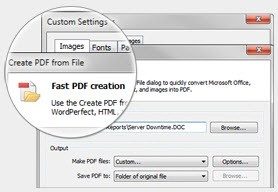
Nitro Software, Inc. built this software for businesses. The core engine handles creation, editing, conversion, annotations and electronic signatures. Also includes OCR. The last point is important. Convert scanned paper into searchable text. Without this, you’re just transferring digital dust.
Compatibility and system requirements
This software does not work well on older systems. Let’s say you have modern hardware. The primary architecture is 64-bit (x86-64). Requires a 64-bit operating system. 32-bit support has been discontinued.
Supported operating systems:
* Windows: 10 and 11.
* macOS: Recent versions. Supports Intel and Apple chips. This is important if you have a new MacBook Pro or Air.
* iOS: iPhone and iPad. The mobile application focuses on consultation, comments and validation. This is not a desktop power tool.
Language support is extensive. You get French, English and other languages. This is the standard for corporate deployments around the world. However, if you want a localized interface for older staff, check the regional versions.
File format and data processing
What goes in must come out clean. Nitro PDF Pro fully supports the Microsoft Office suite. Can process DOC/DOCX, XLS/XLSX, PPT/PPTX. Also covers RTF and TXT. For images JPG, PNG and TIFF.
The output is always PDF. In particular, it supports PDF/A. This is the standard for archiving. If your company needs to store documents for regulatory compliance or long-term preservation, PDF/A is non-negotiable. It locks the fonts and colors. This ensures that your files will look the same 10 years from now as they do today.
Information security, licensing and cloud integration
This is commercial software. It’s not free. A limited trial period is granted. After that, a license is required. Internet connection is required for activation. After activation, you can also use it offline. However, you must be online to use the cloud features.
Protection is built in. Password protection is standard. You can restrict editing, printing and copying. Compliant with common PDF security standards. For companies, this means peace of mind. IT departments can manage updates centrally. This software has a built-in update manager. No third-party patch tools are required.
Cloud integration varies by environment. **
OneDrive
* Google Drive
* Dropbox
SharePoint
If your company uses SharePoint, the integration is tighter. It also works if you’re an independent freelancer using Dropbox, but the feature set may be lighter. Check your subscription level.
Why technology matters
Most users ignore specifications until something goes wrong. This is wrong. Understanding the architecture can help with troubleshooting. If Nitro crashes while processing a large file, you know it’s probably a 64-bit memory problem, not a virus. If scanned documents are not searchable, you may need to check your OCR settings.
The probationary period is a comprehensive assessment. Use it to test edge cases. Try converting a complex Excel spreadsheet to PDF. Try signing the document with a digital certificate. See where it stumbles. Then decide if the price is worth the time saved.
Installation is easy on Windows and macOS. Mobile apps are different. Don’t expect any desktop functions to be migrated. These are different tools for each environment.
Support is available via an online knowledge base. actual support is available for license holders. If you are a trial user, you are on your own. This is common in B2B software. If you don’t pay, you won’t be prioritized.
The key is integration. Does it fit in the stack? Can it handle your formats? Is your information kept safe? The specs suggest yes. However, check your own documents. Theory is cheap. Execution is expensive.
The Reality of Modern Encryption
The conversation around end-to-end encryption often stops at the handshake. You send a message. It’s locked. Only you and the recipient can unlock it. Simple, right? That’s the pitch. But the reality is messier, and the gap between the promise and the practice is where the real friction lives.
Most major platforms claim to use end-to-end encryption by default. WhatsApp. Signal. iMessage. The logic is sound. If the server can’t read the messages, it can’t sell them. It can’t hand them over to bad actors. It can’t accidentally leak them. For the average user, this feels like a win. Your private conversations stay private. No more scanning every text for targeted ads. No more metadata mining disguised as “service improvement.”
But here’s the catch. Encryption protects the transit. It doesn’t always protect the device.
The Endpoint Problem
You can have the strongest encryption in the world, but if your phone is compromised, it doesn’t matter. Malware. Phishing. Weak passcodes. These are the weak links, not the crypto algorithms. The server might be a fortress, but the endpoint is often an open door.
This is why experts keep pointing to metadata. Who you talk to. When. How long. These details paint a picture just as vivid as the message content itself. Encryption scrambles the message. It doesn’t always hide the fact that you’re talking to your boss at 2 AM, or that you’re coordinating with a political group on a Tuesday. Metadata survives. And metadata is valuable.
Why It Matters to You
If you’re a casual user, you might think, “I’m not doing anything shady. Why do I care?” You care because privacy isn’t just about hiding crimes. It’s about autonomy. It’s about deciding what data leaves your device. When encryption is weak or optional, you’re leaving that choice to the platform. And platforms rarely choose privacy over profit.
Consider the push for backdoors. Governments want access. They argue it’s for national security. But security experts argue that backdoors weaken encryption for everyone. There’s no such thing as a “good” backdoor. Once it exists, it can be exploited by hackers, foreign states, or even rogue insiders. The technical infrastructure doesn’t care about your intentions. It only cares about the code.
The Future Is Fragmented
We’re seeing a split. On one side, you have platforms like Signal, built from the ground up with privacy as the core feature. Open source. Auditable. No ads. On the other, you have tech giants who add encryption as a checkbox, often buried in settings or limited to specific features. The user experience differs wildly. One feels like a vault. The other feels like a house with a good lock but glass walls.
Which one you choose depends on what you value. Convenience or control? Integration or isolation? The tech is neutral. The business models aren’t.
What You Can Do
You don’t need to be a cryptographer to take steps.
- Enable end-to-end encryption on every app that offers it. Don’t wait for it to be default. Check the settings.
- Use a password manager. Weak passwords are the easiest entry point. A strong, unique password for each service breaks the chain.