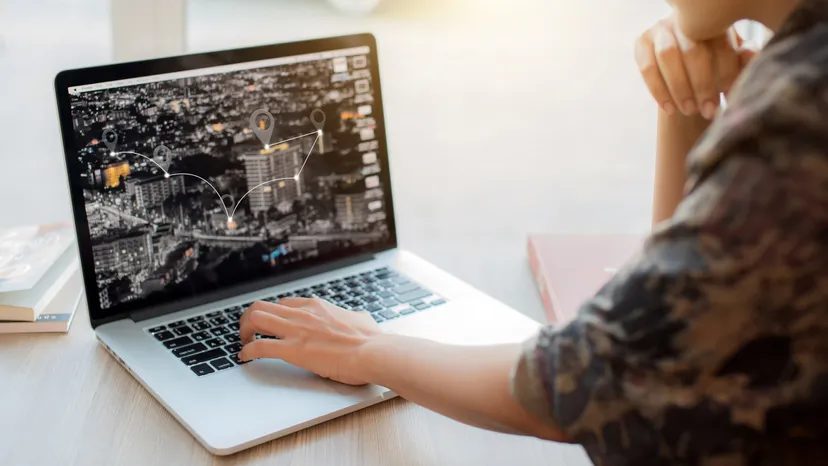
Traditional GPS devices are expensive. They are proprietary boxes that cost a fortune for what is essentially a map on the screen. You can cut these costs in half or more by skipping the dedicated hardware. Instead, buy a separate GPS receiver and connect it to your laptop. You already know how to use your computer. You don’t have to learn a new user interface for a new device.
The setup is straightforward. It’s just hardware and software. Here’s how to make it work.
Зміст
Installation process
Start with the hardware. Fully charge the GPS receiver battery before connecting it. A dead battery means no signal.
Next, install the software. The manufacturer provides a CD or a download link. Install it on your laptop. This software acts as the brain. The receiver is just the eyes.
Combine the two. Use the cable that came with the receiver. Connect one end to the GPS device and the other to the USB port on the laptop.
Acquiring a Signal
Open the installed software. Just don’t drive away just yet. GPS satellites require a clear line of sight.
Park your car in an open area. Parking garages block signals. Tall buildings form “urban canyons” that confuse the receiver. You may have to wait several minutes. The receiver is triangulating its position based on several satellites. It takes time. Be patient.
When the software shows a strong signal, you can start navigation.
Finding Your Destination
The software usually offers three ways to set a route:
- Search: Look for a Where To? field. Enter the address. Or browse a list of points of interest, such as gas stations or ATMs.
- Map View: Click View Map. Zoom in and pin your destination directly on the map.
- Favorites: Select a location from the saved list if you have been here before.
Once the destination is set, click Go.
Navigation methods
The laptop will guide you now. You have options:
- Visual Path: Follow the highlighted line on the map.
- Text Directions: Read the step-by-step instructions on the screen.
- Audio Prompts: Listen to voice commands. This is safer than looking at the screen while driving.
If you do this, you’ll have a working GPS system at a fraction of the cost.
Frequently asked questions
Does my laptop have GPS?
No. Standard laptops do not have a built-in GPS receiver. You need an external USB device.
Can I use any GPS receiver?
Most USB GPS receivers work with standard software, but compatibility varies. Check the manufacturer’s specs before purchasing. Some older models may struggle with new operating systems.
Is it better than a dedicated GPS unit?
For the price, yes. For durability and ease of use while driving, maybe not. Laptops heat up. They can slide off the seats. Dedicated units are built for the dashboard. However, if you’re tech-savvy and want to save money, the laptop route will work. Just keep an eye on the battery life.