MyFitnessPal isn’t just another calorie counter. It’s become the default setting for anyone trying to manage their health without hiring a nutritionist. Available for free on both Android and iOS, the app has built a reputation for being thorough. It doesn’t stop at counting calories. You get insights into macronutrient balances. You spot dietary gaps. And you track progress whether you’re a beginner or an elite athlete.
The real power lies in the database. It’s massive. You can scan barcodes, log meals, or import your own recipes. The interface is clean enough that you don’t need a dietetics degree to understand your data. It generates reports that put your health goals into perspective. Tracking carbs, proteins, and fats—often called “macros”—becomes intuitive.
MyFitnessPal integrates physical activity data with nutrition to provide a holistic view of your lifestyle.
This isn’t a siloed experience. The app connects with fitness trackers and smartwatches. It pulls in activity data. This cross-referencing of food and exercise makes it one of the most complete tools for managing daily habits. You don’t need to be tech-savvy to use it.
Зміст
Compatibility and Installation Details
You can access this MyFitnessPal app almost anywhere. It runs on smartphones and tablets. It even syncs with the Apple Watch. If you switch between devices, the data moves with you. There’s also a web version. You can log meals from a browser on a desktop. This ensures continuity if you’re traveling or just prefer typing over tapping.
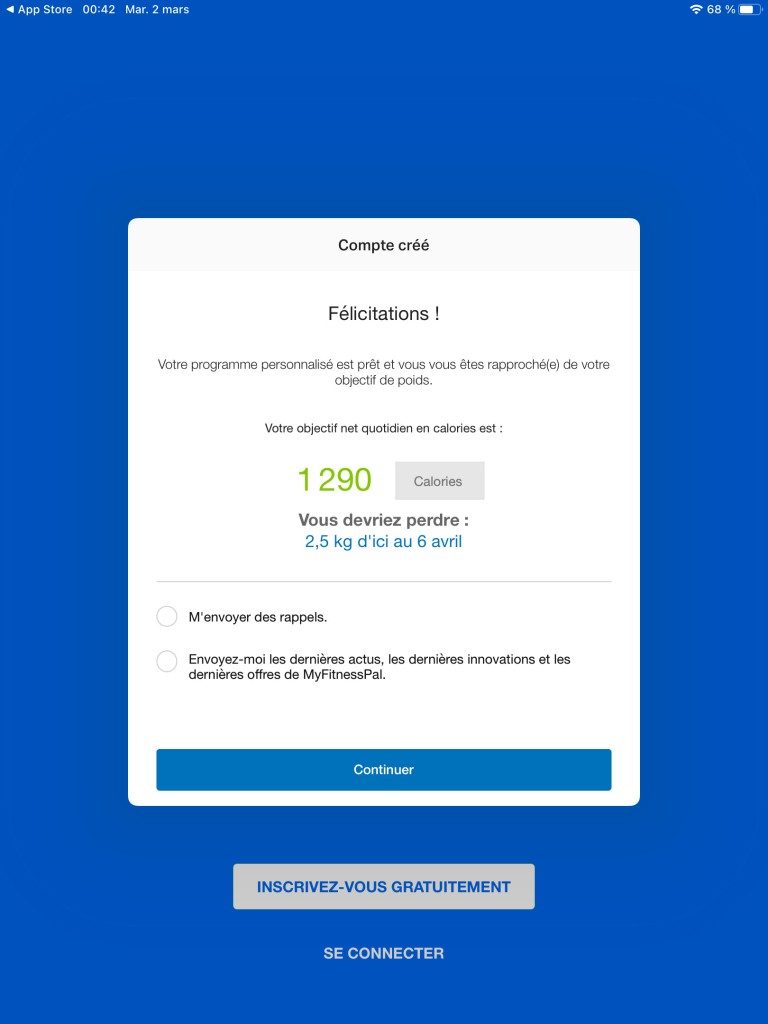
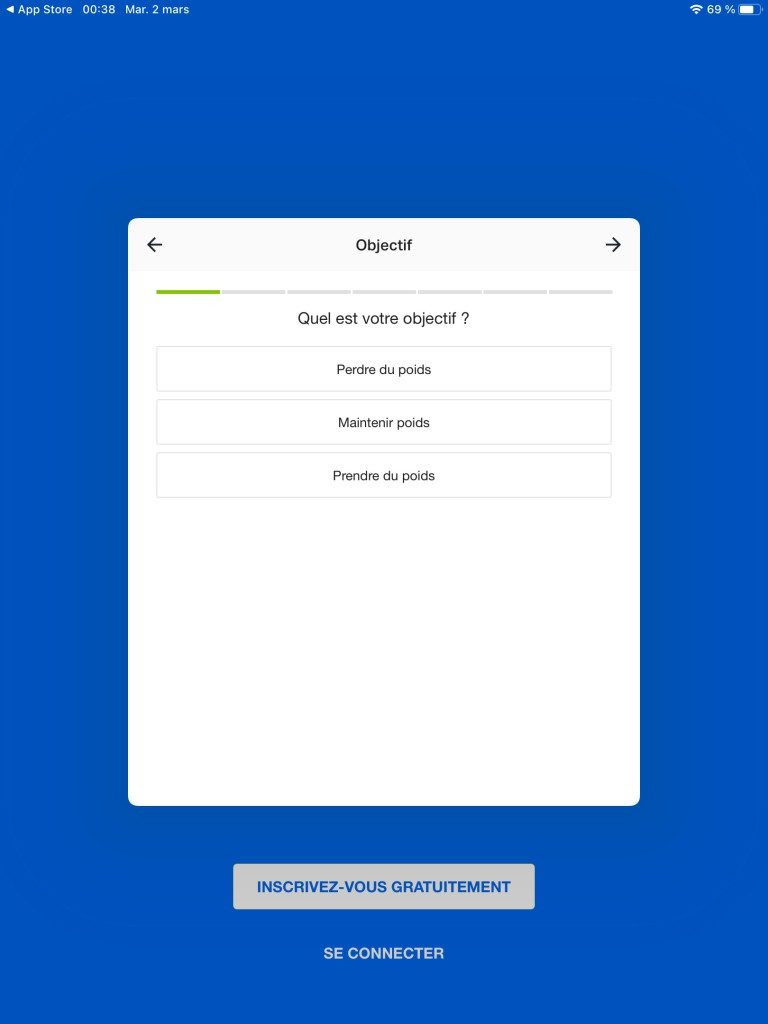
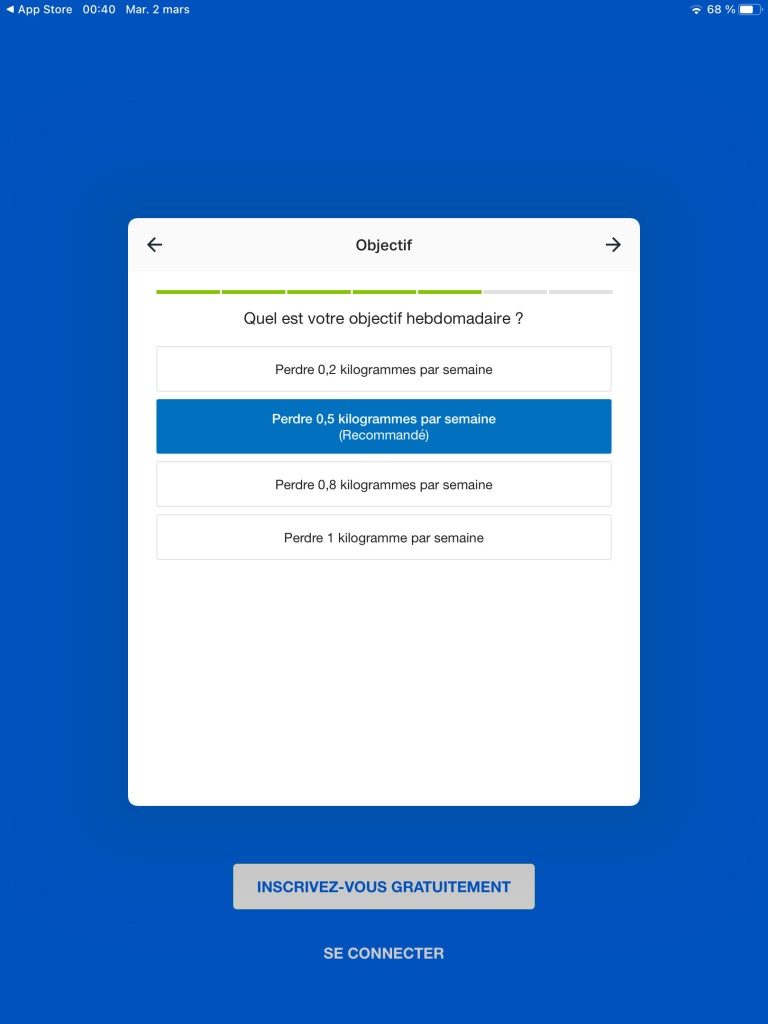
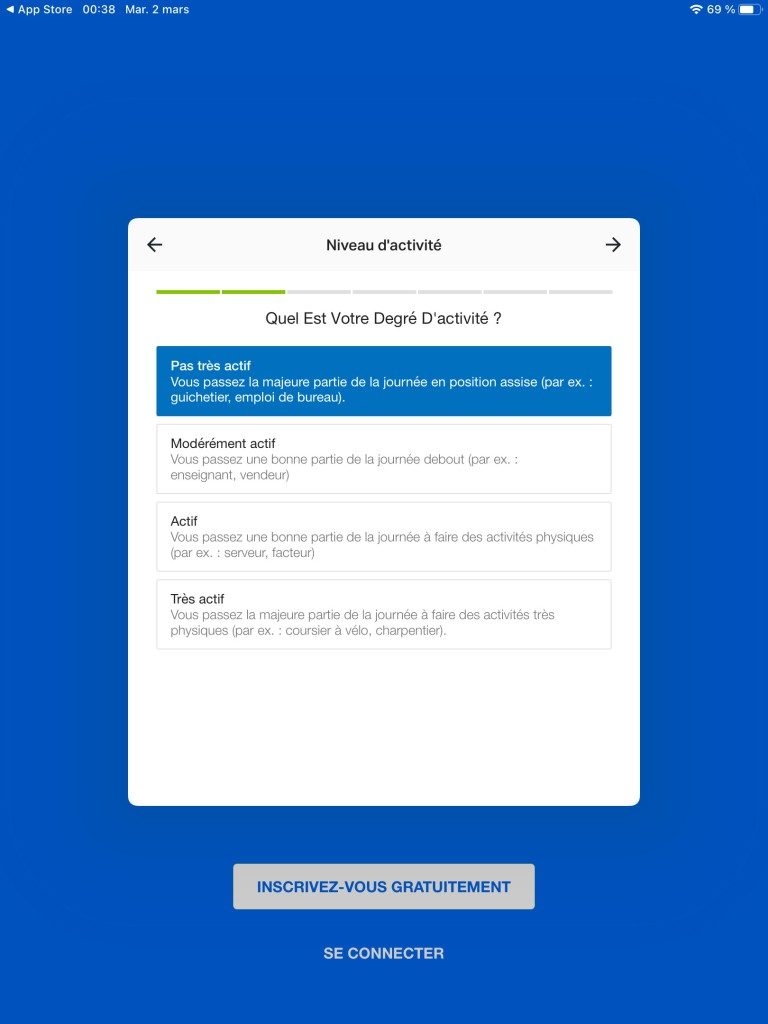
Installation is straightforward. Open the Google Play Store or the App Store. Search for “MyFitnessPal: macros and health.” Download it. Set up your profile. You’ll enter your age, weight, height, and specific goals. The app uses this to tailor its recommendations. It’s personalized from day one.
There is no native desktop software for Windows, Mac, or Linux. You can’t download an .exe or .dmg file for a standalone desktop experience. This is intentional. The focus is on mobility. However, the web version is optimized for modern browsers. It works fine on any computer with an internet connection.
Free vs. Premium Options
For students or anyone on a budget, the free version is surprisingly capable. It covers the essentials. You can track food. You can connect devices. You can see your basic progress.
If you need more, there’s a MyFitnessPal Premium subscription. It costs money. Usually monthly or annually. Sometimes there are discounts for new users or seasonal promotions.
The paid tier removes ads. It offers deeper analysis. You get finer control over macro targets. There are also more complex customization options. There are no special student discounts currently available. If you want the advanced features, you pay full price.
Is the extra cost worth it? Depends on how much data you crave. For basic tracking, the free app is enough. For detailed optimization, Premium makes sense.
Mastering Daily Tracking with MyFitnessPal
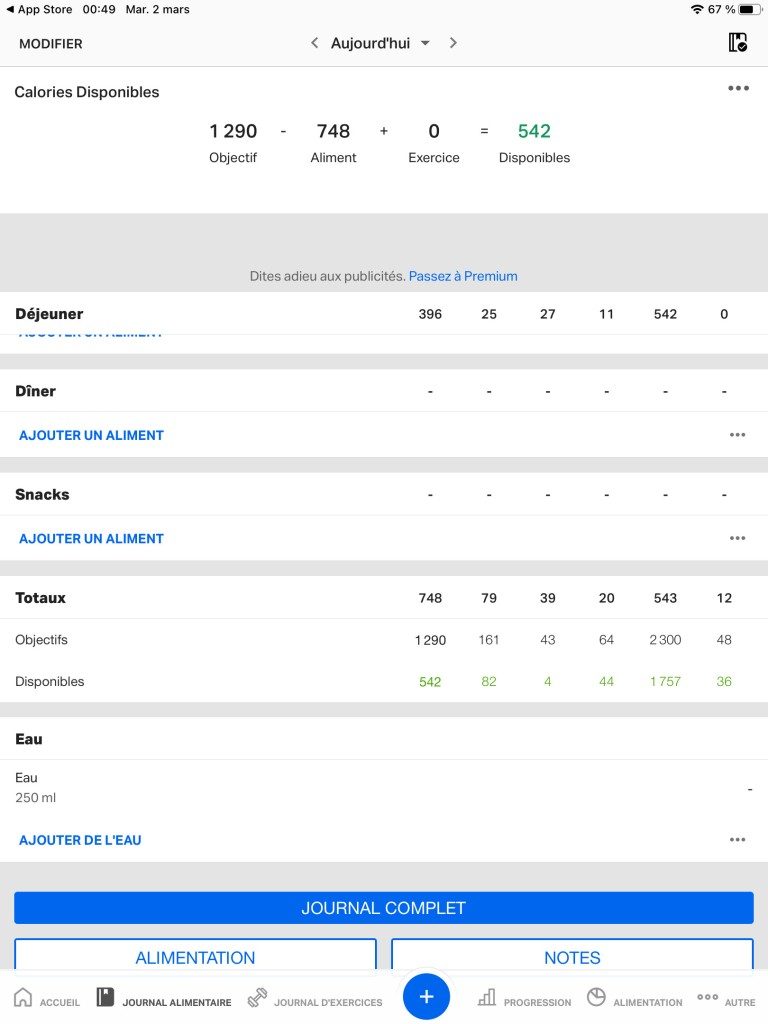
Using MyFitnessPal effectively isn’t about memorizing every button. It’s about building a rhythm. The app handles the heavy lifting through automatic meal logging. Barcode scanning or manual entry makes inputting food fast. You aren’t wasting time on spreadsheets. This fluidity reduces friction.
Creating composite dishes or saving home recipes adds precision. It helps those with specific dietary restrictions. Allergies? No problem. The app evaluates nutritional intake instantly.
Why Macro and Micro Tracking Matters
Calories are just the tip of the iceberg. MyFitnessPal tracks macronutrients—carbs, fats, proteins. It also dives into micronutrients like vitamins and minerals. This offers a deeper look at nutritional balance.
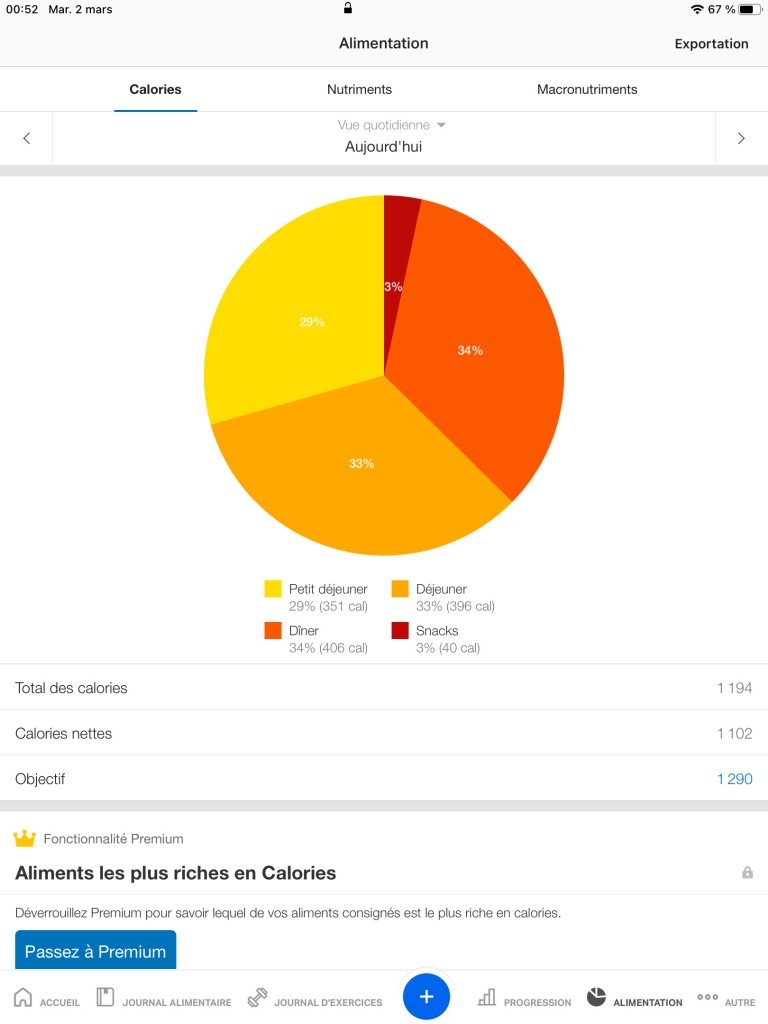
Daily graphs show your progress. They highlight areas needing improvement. Consistency becomes easier to maintain. Motivation sticks when you see data.
Wearable Integration and Sync
The real power lies in connectivity. MyFitnessPal syncs with Apple Watch, Fitbit, and other wearables. This isn’t just cosmetic. It records energy expenditure in real-time.
Your nutritional plan adjusts to actual activity. Objectives shift based on observed progress. It positions the app as a central hub in your digital health ecosystem. You are no longer guessing. You are quantifying.
Community Features and Privacy Control
Personalization extends to how you share your data. You can keep everything private. Or you can join the community. The built-in forums offer moral support. Peer encouragement helps sustain long-term engagement. It adds a social layer to what is otherwise a solitary task.
Updates, Support, and Safety
Developers push frequent updates. These patches fix bugs. They improve ergonomics. New features often stem from user feedback. Compatible devices receive these updates automatically via Google Play or the App Store. Security remains a priority.
You can manually check for the latest version. But forcing an update isn’t usually necessary.
The Risk of Older Versions
Installing an older version of MyFitnessPal is risky. The developer advises against it. Older builds lack stability. They may break compatibility with connected devices. Data privacy standards evolve. Sticking to the current version ensures compliance.
Unofficial repositories pose additional threats. They are not recommended for responsible use. Always prioritize official stores.
Support Resources and Training
Help is available online. Documentation is detailed. Tutorials and a comprehensive FAQ address common issues. Technical support can guide you through installation or usage hurdles.
There are no official MyFitnessPal certifications. No labellized training cycles exist for professionals or laypeople. The online resources cover standard use cases adequately.
The Bottom Line
MyFitnessPal evolves constantly. It adapts to user needs. It integrates insights from its large user base. It stays aligned with advances in nutrition science. This adaptability makes it a staple in digital health.
For anyone seeking control over their lifestyle, the app provides reliable resources. The community aspect reinforces commitment. The data drives informed decisions. It’s not just about losing weight. It’s about understanding your body. The journey continues with every logged meal. And every sync.
Technical Specs: What Powers MyFitnessPal’s Tracking
Most people download the app and start logging food. They rarely look under the hood. That’s a mistake. Understanding the technical foundation of MyFitnessPal changes how you use it. It stops being a passive diary and becomes a tool you can actually configure.
The app isn’t just a database. It’s a sync engine.
MyFitnessPal runs on a freemium model. You get the core tracking for free. Premium costs money. The difference isn’t just cosmetic. It’s about data access and ad removal. If you are serious about macro tracking, the free version works. If you want detailed analytics, you pay.
The ecosystem supports Android, iOS, and web browsers. Apple Watch users have native support too. This matters for people who want to log data without pulling out their phone. The watch app handles basic entries quickly. The phone app handles the heavy lifting. The web dashboard handles the deep dives.
Offline Capability and Sync Logic
Here is where most users get frustrated. They think the app fails when they lose signal. It doesn’t. It just waits.
MyFitnessPal is built with an offline-first architecture. You can log a meal on a plane. You can log a snack in a dead-zone subway car. The data stores locally on your device. It doesn’t vanish. It queues.
Once you reconnect to Wi-Fi or cellular data, the app pushes that data to the cloud. This ensures continuity. Your progress never gets lost. The server acts as the single source of truth. Your devices are just clients.
This setup requires patience. Sometimes the sync lags. If you log something and don’t see it update immediately, check your connection. Don’t delete it. Wait. The background service handles the rest.
Data Privacy and Export Options
Your health data is sensitive. MyFitnessPal treats it with a mix of openness and restriction. The app allows you to adjust visibility settings. You can make your profile public or private. This affects who sees your food logs and weight trends.
The free version displays ads. Premium removes them. Simple enough.
But the real power lies in data ownership. You can export your logs. This is critical for people who want to move their data elsewhere. Or analyze it in a spreadsheet. The export options cover your history. They don’t always include real-time sync capabilities.
“You own your data. The app is just a mirror.”
Privacy settings are adjustable. You control what is shared. The default is often set to private for new accounts. Stick with that unless you want community features.
Integrations: Beyond the Screen
MyFitnessPal doesn’t live in isolation. It connects to other devices. This expands its utility beyond manual entry.
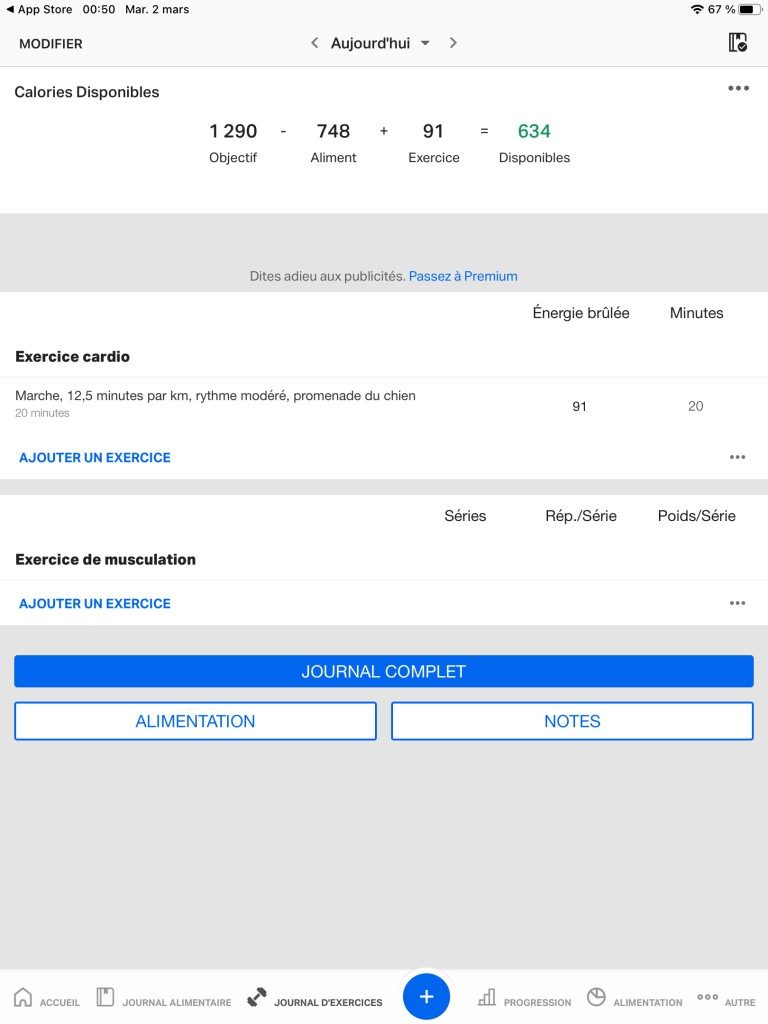
Compatible fitness trackers and apps can push data to MyFitnessPal. Steps, calories burned, and workout intensity can sync. This closes the loop between intake and expenditure. Without this integration, you are guessing at your net calorie balance.
The app supports both metric and imperial units. Choose what fits your country. The choice doesn’t affect functionality. It only affects readability.
System Requirements and Accessibility
You don’t need a supercomputer to run this. A modern smartphone is sufficient. The web version works on any recent browser. Chrome, Safari, Firefox, Edge. All of them.
The app is multilingual. French, English, Spanish, and more. Language selection is global. It doesn’t change the database. It changes the interface.
Support is available through online help centers and FAQs. There is no direct phone support for free users. Premium users get priority. This is standard for apps of this size.
The
The Hidden Cost of Convenience in Cloud Ecosystems
You signed the contract. You clicked “I Agree.” You didn’t read the three hundred pages of service level agreements because your job is to build features, not parse legal jargon. But here is the thing about cloud providers: they are not your friends. They are merchants. And like any merchant, they have changed their pricing models several times since you started using their infrastructure.
The initial promise was simple. Pay for what you use. Scale up when you need to. Scale down when you don’t. It felt like magic. Then the bills arrived. They were… unexpected.
This isn’t just about overspending. It’s about the architectural choices we make when we prioritize speed over scrutiny. We build sprawling, interconnected messes because it’s faster. Then we wonder why our monthly invoice looks like a ransom demand.
Lock-In Is a Feature, Not a Bug
Most developers hate the word “vendor lock-in.” It sounds like a conspiracy theory. But look closely at how data moves. It doesn’t move for free. It moves through proprietary APIs. It moves through formats that only work within that specific ecosystem.
When you store data in a proprietary database format instead of standard SQL, you are building a moat. A moat that keeps you in.
“The easiest way to leave a cloud provider is to never have gone in deep.”
This is why migrating from AWS to Azure or GCP feels like moving house during a hurricane. The data is there. The applications are there. But the glue holding them together is proprietary. You have to rewrite the glue. That takes time. Time costs money. Money is what they are selling you.
The Bandwidth Trap
You optimized your database queries. You compressed your images. You used a Content Delivery Network to cache static assets. You did everything right. Yet the bandwidth bill still spikes.
Why? Because egress fees are where the money is.
Cloud providers charge pennies for compute hours. They charge dollars for data leaving their network. It’s a subtle asymmetry. They want you to keep data inside their ecosystem. Push it out, and they charge a premium. Pull it in, and it’s cheap.
Think about your architecture. Do you need to pull massive datasets from storage to process them elsewhere? Or can you move the compute to the data? Moving compute is cheap. Moving data is expensive. Most apps do the reverse. They are built inefficiently by design.
Serverless: The Double-Edged Sword
Serverless sounds like the answer. No servers to manage. No patches. Just code. It’s sexy. It’s modern. It’s also a pricing black box.
When traffic is low, serverless is free. Or close to it. When traffic spikes? You get hit with per-request fees. And invocation duration fees. And data transfer fees.
If your application has predictable, steady traffic, serverless is often more expensive than a dedicated instance. If it has wild, unpredictable spikes, it might save you money. But predicting spikes is hard. Most people over-provision to be safe. Then they pay for idle capacity.
Is it worth the complexity? For many teams, yes. For others, it’s just a way to hide the true cost of their infrastructure behind a veneer of abstraction.