You missed the appointment. The card arrived in your mailbox weeks later, yellowing at the edges. You’re not alone. The Medical Group Management Association puts the U.S. patient no-show rate between 15 and 22 percent. It happens.
Then there’s the office scenario. You’re deep in a spreadsheet. Your boss materializes behind your chair. He’s angry. You blanked on the staff meeting.
Technology fixes this.
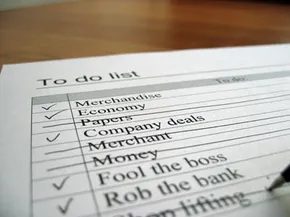
Automated reminders act as a buffer against our overloaded calendars. They are scheduled electronic notifications delivered via email, SMS, phone call, or fax. They keep you honest. Tomorrow’s dentist visit. Wednesday’s red-eye flight. Saturday’s surprise party for mom—don’t forget the gift.
The impact on healthcare is measurable. PhoneTree, an automated phone reminder provider, reports that patient no-show rates drop to an average of 5 percent when they receive a call the day before. That is a massive swing from the 22 percent high. It saves doctors time. It saves them money. It saves you the administrative hassle of rescheduling.
Most people already use these tools without realizing the depth of the technology. We rely on email calendars. Every web-based calendar offers automated pop-up desktop alerts or email reminders for scheduled events. Google Calendar, for instance, allows you to send SMS reminders directly to a cell phone.
This article breaks down automated reminders. We will cover their features, explain the mechanics behind the notifications, and examine practical applications for this specific type of scheduling software.
Зміст
Features and Set-Up of Automated Reminders
The Cloud Route
Skip the hardware. Just rent the brain. You upload your contacts and groups through tools you already use, like Microsoft Outlook. The rest happens on someone else’s server.
A web interface handles the logic. Messages travel over public phone lines and internet backbones. You can trigger anything. Expiring licenses. Payment deadlines. Renewal notices. Software upgrades.
Recipients choose their preferred channel. Email? Fine. Phone call? Sure. SMS? Done. Fax? Old school, but available.
The system plays smart. If the phone goes unanswered, it pivots. Email next. Text message after that. It keeps knocking until someone answers.
Recipients send confirmations when they receive and acknowledge the message.
Two-way communication. You send. They reply. Simple.
Hosting It Yourself
Or buy the box. Host the service yourself.
Hardware. Servers. Cables.
You control the lines. You control the data. No third-party middleman.
The choice is yours. Rent the service. Or build the engine. Both work. One costs time. The other costs cash.
How Automated Reminders Actually Work
You can install the hardware yourself if you want. Most vendors will stick around to guide you through setup and support for a bit, just to make sure you’re using the product correctly. Setting up the reminder logic is straightforward. It usually hooks into the calendar software you already have, working a lot like those subscription-based services you see everywhere.
There is a catch, though. Once the system is live, the machine doesn’t make the calls. You do. The software pulls every customer who needs a nudge about an upcoming appointment and drops their names into a queue. Your staff then pulls up that list and starts dialing.
Missed appointments are a financial drain for medical providers. They lock up slots that other patients could have used. Some clinics have started charging missed appointment fees. Sometimes the fee is as high as the cost of the actual service. It’s a harsh move, but it keeps the schedule moving.
The Tech Behind Text-to-Speech
Let’s look at another layer of this technology. AT&T Labs built a program called Natural Voices. It’s a text-to-speech engine. The process has two distinct stages.
First, a system of grammatical rules and dictionaries breaks down the text. It analyzes the structure. Then, the program generates audio to match those rules.
The voice isn’t synthesized from scratch by a computer. It’s a recorded human voice. A voice actor had to record every single phoneme. Those are the smallest units of audible speech. The software stitches those phonemes together into syllables, and then into words.
Why It Matters for Support
Help desks and voice response systems rely on this heavily. If you call after hours or on a weekend, the TTS (Text-to-Speech) picks up the slack. Customers can get basic info without the company needing to pay for 24/7 phone support.
It’s not magic. It’s just efficient. You can hear how it sounds by checking the Natural Voices demo. The technology is practical, not perfect, but it fills the gaps when human agents aren’t available.
Applications for Automated Reminders
The utility extends beyond simple phone calls. Think about how many times you’ve received a reminder for a doctor’s visit, a car service, or even a library book. The queue system handles the heavy lifting of identification. The human element handles the final connection. It’s a hybrid model. One that leverages automation for data and humans for empathy. Or at least, for the act of speaking.

The logic is simple enough to almost feel obvious. If your business model depends on appointments, scheduled interactions, or keeping a steady stream of customers engaged, you need a system that nags them when it’s time to show up or act. Automation does the heavy lifting. It turns human memory—which is notoriously fallible—into a reliable, scalable engine for communication.
We are looking at a landscape where industries that might seem unrelated are converging on the same solution: the automated reminder.
Healthcare and Finance: The High-Stakes Nudge
In health services, the stakes are higher than missed lunch plans. Pharmacies, medical labs, veterinary clinics, dentists, and general practitioners rely on these systems to manage the lifecycle of care. We aren’t just talking about “don’t forget your check-up.” We’re talking about prescription refill alerts that prevent gaps in treatment. Test result notifications that urge patients to act fast. Appointment confirmations that reduce no-show rates, which cost the healthcare industry billions annually.
Then there is the financial sector. The tone shifts from care to collection. Investment consultants, banks, and accounts receivable departments use reminders to drive revenue protection. Renewals. Account maturities. Late payment warnings. Balance due notices. These messages are less about relationship building and more about liquidity. They are the digital equivalent of a polite but firm tap on the shoulder.
Travel, Retail, and Service: Logistics as Communication
Travel and hospitality operate on tight margins and volatile variables. When an airline or hotel sends a message, it’s often reacting to chaos. Flight delays. Gate changes. Itinerary modifications. Cancellations. In this context, the reminder isn’t just helpful; it’s a crisis management tool. It keeps the customer informed when the plan falls apart.
Manufacturing and retail use the same infrastructure for different ends. Stores inform clients of pick-up times for online orders. They notify customers of warranty renewals before the coverage expires. They alert shoppers to policy changes. It’s about closing the loop on the transaction.
Service industries lean into the recurring nature of their work. Pest control. Heating and cooling maintenance. Gutter cleaning. Car maintenance shops reminding you that the oil change interval has passed. Lawn care services signaling the start of the seasonal cycle. These aren’t one-off events. They are rhythms. The reminders sync with those rhythms.
The Shift: From Enterprise to Personal Utility
Here is the real shift. You don’t need to be a bank or an airline to leverage this tech. The barrier to entry has collapsed.
We are becoming increasingly connected. Web-enabled PDAs (back when they mattered), cell phones, and seamless high-speed Wi-Fi have created a infrastructure where being “on” is the default state. As this connectivity deepens, automated reminders become more powerful and more common. They move out of the enterprise server room and into your pocket.
But the personal application is just as potent. You don’t need to affiliate with a corporation to benefit.
Take your web calendar. You’ve likely used the appointment reminder feature for years. That is automated reminder technology in its purest, simplest form. It doesn’t care if you are a CEO or a freelancer. It only cares that you have a block of time marked.
- Big meetings.
- Happy hour with friends.
- The simple task of sending an email you’ve been putting off.
These are the moments where the technology shines. It bridges the gap between intention and action. It stops the “I thought I did that” moments.
The Ecosystem of Notification
Behind every simple “don’t forget” ping is a stack of technologies working in concert. To understand the full weight of this infrastructure, you have to look at the components that make it possible.
Related HowStuffWorks Articles